


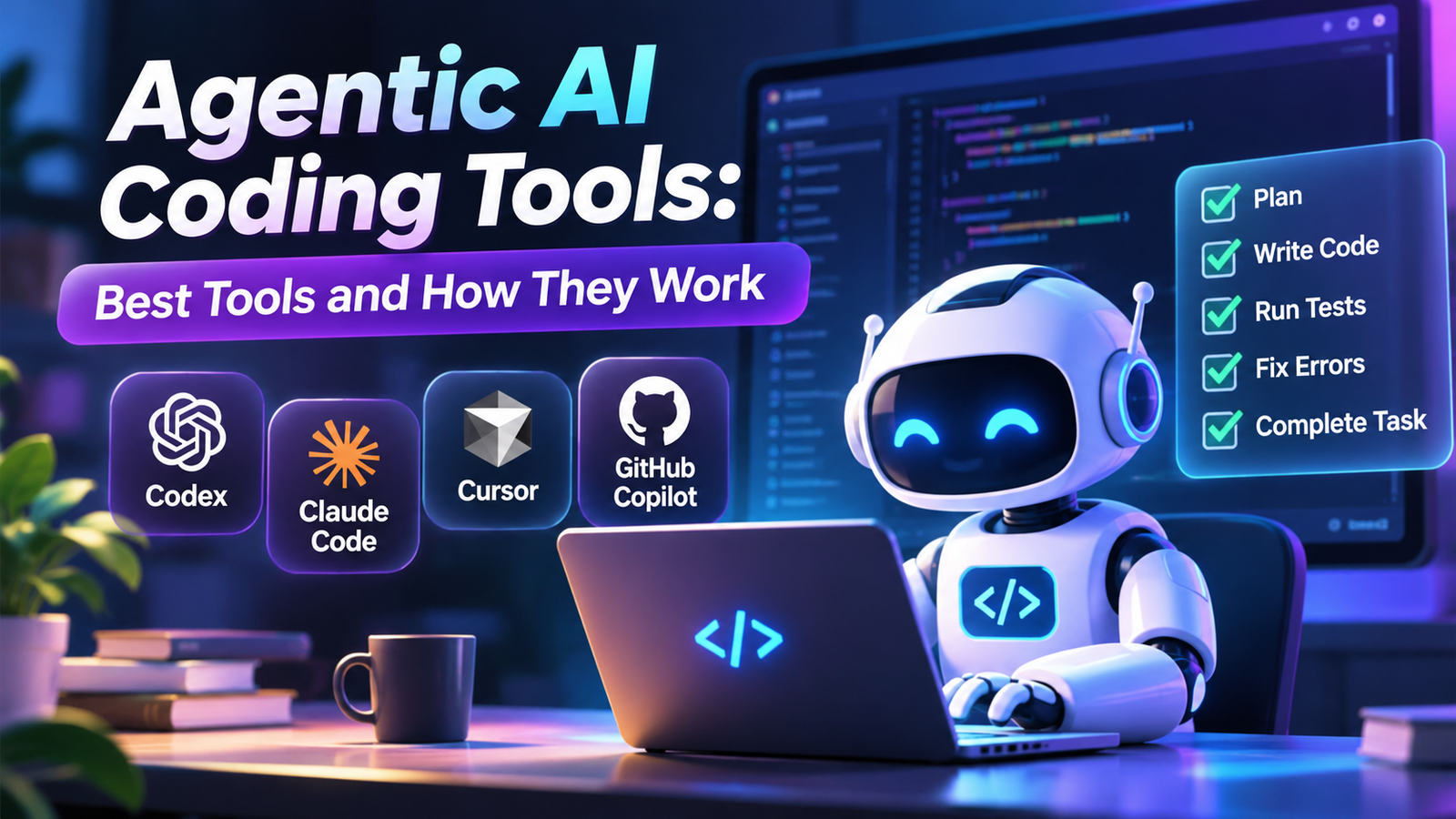
Software development is changing as artificial intelligence moves beyond suggesting code and starts handling complete programming tasks. Agentic AI coding tools allow developers to describe a goal, while an AI agent explores the codebase, identifies relevant files, writes or modifies code, executes commands, and tests its changes. Instead of responding with isolated code snippets, these tools can work through multiple steps to complete a development task. Products such as OpenAI Codex, Claude Code, Cursor, and GitHub Copilot are bringing this approach into everyday software engineering. However, they do not all work in the same way, and their capabilities depend on the underlying AI models, available tools, and permission settings. Understanding these differences helps developers choose the right solution, avoid unnecessary automation, and maintain control over their projects.
What Are Agentic AI Coding Tools?
Agentic AI coding tools are software development systems that use AI agents to perform programming tasks with a degree of independence. They can understand a developer’s instructions, inspect an existing project, decide which actions are necessary, and use connected tools to make changes.
Traditional AI coding assistants mainly help developers write individual functions, explain programming concepts, or suggest the next lines of code. Agentic tools go further by handling a complete task through multiple actions.
For example, imagine a developer wants to add a password reset feature to an existing website. A traditional AI assistant might generate the required HTML, JavaScript, or backend code.
An agentic coding tool can approach the same task differently:
- Examine the existing authentication system.
- Identify the files responsible for login and user accounts.
- Understand the project’s existing coding conventions.
- Create the password reset functionality.
- Update relevant frontend and backend components.
- Run tests and investigate errors.
- Present the completed changes for developer review.
The important distinction is that the agent does not simply generate an answer. It interacts with the development environment and responds to the results of its actions.
This makes agentic coding particularly useful for multi-file changes, debugging, software maintenance, and repetitive development tasks.
How Do Agentic AI Coding Tools Work?
Most agentic coding systems combine a large language model (LLM), development tools, project context, and an orchestration system.
The language model handles reasoning and decides what to do next. The connected tools allow it to interact with the actual project.
1. Understanding the Developer’s Instructions
The process begins when a developer provides a task using natural-language instructions.
For example:
“Add a search feature to the product page. Users should be able to search products by name, filter results by category, and see a message when no products match.”
The AI interprets the request and identifies the expected functionality.
For complex tasks, some agents first create an implementation plan before changing files.
2. Exploring the Codebase
The agent examines the project’s structure to understand how the application works.
Depending on its available permissions, it may:
- Read existing source files.
- Search for specific functions and components.
- Examine configuration files.
- Identify dependencies.
- Review existing tests.
- Understand how different modules communicate.
This step is important because writing code without understanding the existing architecture can introduce unnecessary problems.
3. Planning and Editing Code
After gathering sufficient context, the agent determines which changes are needed.
It may modify several files instead of producing one isolated code snippet.
For example, adding a product search feature could involve updating a frontend component, creating a search function, modifying an API endpoint, and adding tests.
The agent uses its file-editing tools to apply these changes.
4. Executing Commands and Running Tests
One of the most useful capabilities of agentic AI coding tools is their ability to interact with a terminal.
Depending on the environment and permissions, an agent may execute commands such as:
npm install
npm run dev
npm test
npm run build
It can inspect the output, identify errors, and attempt corrections.
However, running a command successfully does not automatically prove that the application works correctly. Tests may be incomplete, and some bugs only appear during real-world usage.
5. Reviewing and Improving the Results
Agentic coding follows an iterative process.
If a test fails, the agent can investigate the error, update the relevant code, and run the test again.
Once the task is complete, the developer can review the changes, inspect the differences, and decide whether to accept them.
This cycle of planning, acting, observing, and correcting is what makes an AI coding system agentic.
Best Agentic AI Coding Tools in 2026
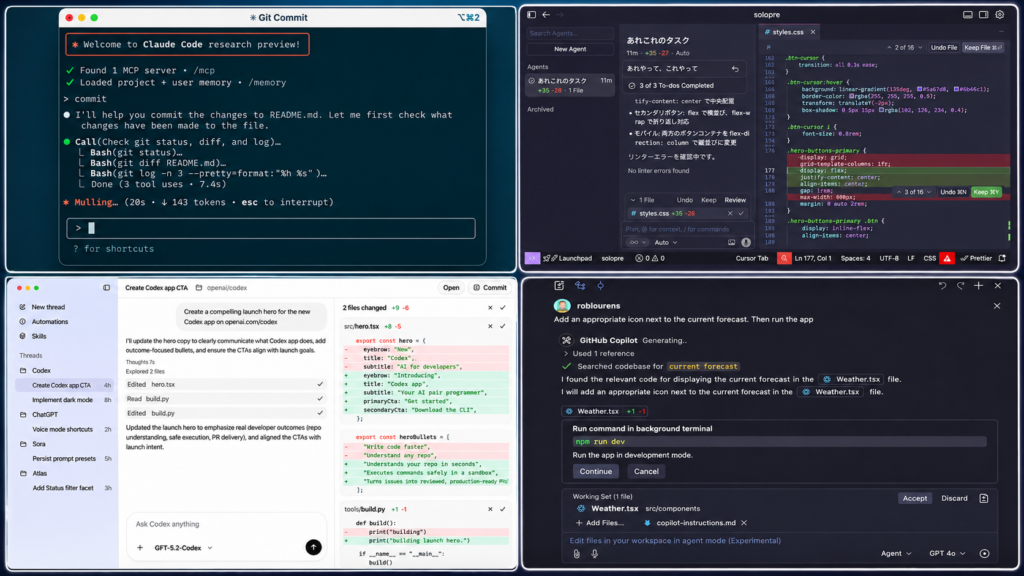
Several products now offer agent-based programming capabilities. Some operate directly inside an IDE, while others work through terminals, cloud environments, or GitHub repositories.
The following tools are worth understanding before choosing a solution.
1. OpenAI Codex
OpenAI Codex is an AI coding agent designed to help developers write, review, debug, and maintain software.
It can work through different interfaces, including its desktop application, command-line interface, IDE integrations, and cloud-based workflows.
Its capabilities include:
- Investigating existing codebases.
- Implementing requested features.
- Identifying and fixing bugs.
- Running commands and tests.
- Working on separate coding tasks.
- Reviewing code changes.
- Producing results for developer inspection.
One useful capability is Codex Cloud. Developers can prepare reusable environments containing repositories, dependencies, tools, and access settings. Individual tasks then run in separate workspaces, allowing work to continue remotely.
For example, a developer could ask Codex to investigate why a particular API endpoint returns an error. The agent can inspect the relevant code, investigate the problem, make a proposed correction, and run available tests.
Codex is particularly interesting for developers who want to delegate well-defined software engineering tasks rather than manually manage every individual code change.
2. Claude Code
Claude Code is a terminal-based coding agent developed by Anthropic.
It allows developers to interact with their projects using natural-language instructions while working with files, commands, and connected development tools.
Its main capabilities include:
- Exploring large codebases.
- Editing and creating files.
- Running terminal commands.
- Debugging programming problems.
- Managing development workflows.
- Connecting external services through Model Context Protocol (MCP).
- Customizing workflows with hooks and project instructions.
One particularly useful feature is its support for hooks. These allow developers to run predefined actions at particular points during an agent’s workflow.
For example, a developer can configure a hook to run a code formatter after the agent modifies a file.
Claude Code can also connect to external systems through MCP servers, allowing developers to extend its capabilities beyond the local project.
It is a strong option for developers who prefer terminal-based development and want greater control over how an AI agent interacts with their code.
3. Cursor
Cursor is an AI-focused code editor that provides agentic capabilities directly inside the development environment.
Its Agent mode can explore a project, edit multiple files, execute terminal commands, and investigate errors.
Important capabilities include:
- Codebase search and understanding.
- Multi-file code editing.
- Feature implementation.
- Bug fixing and refactoring.
- Terminal execution.
- Planning workflows.
- Reviewing changes through a diff interface.
- Cloud-based coding agents.
Cursor also provides different working modes. For example, developers can use Ask when they want explanations without modifying files, or Plan when they want to review an approach before implementation.
Its cloud agents can work in remote development environments and produce results that developers can inspect later.
For developers who prefer working inside a visual code editor instead of managing everything through a terminal, Cursor offers a practical approach.
4. GitHub Copilot
GitHub Copilot combines traditional AI coding assistance with more advanced agentic workflows.
Its agent mode can receive a high-level programming task, identify relevant files, make changes, run commands, and iterate when problems occur.
GitHub also provides a cloud-based Copilot coding agent that can work on repository tasks and prepare pull requests for developers to review.
Its useful capabilities include:
- Code suggestions and explanations.
- Multi-step programming tasks.
- Repository-level code understanding.
- Bug fixing and code improvements.
- Pull request preparation.
- Code review assistance.
- Integration with GitHub workflows.
One important advantage is its connection with GitHub’s existing development environment.
For instance, a development team can assign a suitable repository issue to Copilot. The agent can work on the requested changes and return a pull request for human review.
This makes it particularly useful for teams that already manage their development projects through GitHub.
Agentic AI Coding Tools Compared
Different coding agents serve different development needs. Choosing one depends on your preferred working environment, project complexity, integrations, and desired level of control.
| Tool | Main environment | Key strength | Best suited for |
|---|---|---|---|
| OpenAI Codex | Desktop, CLI, cloud, IDE | Delegated coding tasks | Software engineering workflows |
| Claude Code | Terminal | Flexible coding and tool integrations | Developers comfortable with CLI |
| Cursor | AI-powered editor | Multi-file editing and codebase exploration | Everyday development |
| GitHub Copilot | IDE and GitHub | Repository and pull request workflows | GitHub-based teams |
These tools are not identical, and their features can change as products receive updates. Some capabilities also depend on the selected model, subscription, environment, and organizational settings.
Important Features of Agentic AI Coding Systems
Understanding the features behind these products makes it easier to evaluate whether an agent can genuinely help with a development project.
Autonomous Task Execution
Autonomous task execution allows an AI agent to perform multiple actions toward a defined objective.
Instead of requesting code for every individual function, a developer can describe the desired result.
The agent then decides which files to examine, what changes to make, and which tools to use.
However, autonomy does not mean unlimited independence. Permission settings, tool availability, and execution environments determine what the agent can actually do.
Codebase Understanding and Context Windows
An agent needs information about the project before it can make useful changes.
This information may include:
- Source code.
- Project documentation.
- Configuration files.
- Existing functions.
- Dependencies.
- Error messages.
- Development instructions.
Large language models process this information through a context window, which determines how much information they can consider during a particular interaction.
A larger context window can help with complex projects, but it does not guarantee that the agent will understand every part of the codebase.
Developers should provide clear project instructions and relevant documentation rather than assuming the agent automatically understands the entire application.
Tool Calling and Terminal Access
Tool calling allows an AI model to interact with external functions and development systems.
In coding environments, these tools may include:
- File readers and editors.
- Terminal commands.
- Code search.
- Git operations.
- Testing frameworks.
- Documentation search.
- External APIs.
This is one of the fundamental differences between ordinary generative AI and an agentic coding system.
The language model decides which action may help, while the development environment executes that action and returns the result.
Multi-Agent Collaboration
Some modern coding environments support multiple agents working on different parts of a larger task.
For example, one agent might investigate an existing bug while another reviews the relevant tests.
A coordinating agent can then combine their findings into a broader solution.
This approach can help with complex projects, although it introduces additional challenges. Agents may duplicate work, misunderstand shared requirements, or produce changes that conflict with one another.
Multi-agent execution therefore requires clear task boundaries and careful integration.
Model Context Protocol (MCP)
Model Context Protocol, commonly called MCP, provides a standardized way for AI applications to connect with external tools and data sources.
In software development, an MCP connection might allow a coding agent to interact with a database, issue tracker, documentation service, or another development tool.
For example, a development team could connect an AI coding agent to its project management system so that it can access relevant issue information.
However, MCP does not automatically provide access to every service. The required server, authentication, permissions, and supported operations must be configured.
Real-World Applications of Agentic AI Coding Tools
Agentic coding is useful beyond generating new applications. It can support several stages of the software development lifecycle.
1. Building New Website Features
A developer can request a new feature without manually describing every file that needs modification.
For example, consider an online store that needs a product filtering system.
An agent could inspect the existing product structure, identify the relevant frontend components, implement filtering logic, and run available tests.
The developer still needs to verify that the feature works correctly with real product data.
2. Debugging Existing Applications
Finding the source of a software error can take longer than writing the actual correction.
An agent can examine error messages, search related functions, inspect dependencies, and investigate possible causes.
For example, if a registration form stops submitting, the agent could examine the frontend validation, API request, and backend response to identify where the process fails.
This does not guarantee that every bug will be solved automatically, but it can reduce the amount of manual investigation required.
3. Writing and Maintaining Tests
Testing is an important part of software development, but developers sometimes postpone it because of time constraints.
Coding agents can help create unit tests, update existing test files, and investigate failed test results.
For example, after modifying a payment calculation function, an agent could create tests for different order amounts and discount conditions.
The developer should still check whether the tests cover meaningful real-world situations.
4. Refactoring Legacy Code
Older applications often contain duplicated functions, outdated dependencies, and complicated structures.
An agent can examine existing code and suggest ways to improve its organization.
Possible tasks include:
- Removing unnecessary duplication.
- Improving variable and function names.
- Splitting large components.
- Updating outdated code patterns.
- Improving documentation.
- Creating tests before major changes.
Large refactoring projects should be divided into smaller tasks because a seemingly simple change can affect several parts of an application.
5. Automating Development Workflows
Coding agents can also support repetitive development activities.
Depending on their integrations, they may help investigate GitHub issues, review pull requests, update documentation, or prepare changes for deployment.
For example, a team might use an agent to investigate a failed build, identify the likely cause, and propose a correction.
Deployment and production changes should remain subject to appropriate approval and testing procedures.
Benefits of Using Agentic AI Coding Tools
Agentic coding can make software development more efficient, particularly when developers have to manage several related programming tasks.
Some important benefits include:
- Less repetitive work: Agents can handle routine code changes, test creation, and documentation updates.
- Faster debugging: They can investigate several related files instead of requiring developers to inspect everything manually.
- Better development workflows: Agents can connect code editing, terminal commands, and testing within one process.
- Support for beginners: New developers can use natural-language instructions to understand programming concepts and explore unfamiliar codebases.
- Help with large projects: Multi-file editing can make certain maintenance and feature-development tasks easier.
- Improved productivity: Developers can delegate suitable tasks and spend more time on architecture, requirements, and technical decisions.
However, these advantages depend on the quality of the task description, project context, underlying model, and available testing environment.
Limitations and Security Risks of AI Coding Agents
Agentic AI coding tools are powerful, but treating their output as automatically correct is a serious mistake.
Because these systems can interact with development environments, their mistakes may affect more than a single code suggestion.
Incorrect Code and AI Hallucinations
Large language models can produce incorrect programming logic, invent APIs, misunderstand requirements, or recommend outdated solutions.
An agent may also report that a task is complete even when important edge cases remain untested.
Developers should inspect the actual implementation rather than relying only on the agent’s final explanation.
Security and Permission Risks
Giving an AI agent access to files, terminal commands, network connections, and credentials introduces security considerations.
A poorly configured agent could execute a destructive command, expose sensitive information, or modify important project files.
A particularly important risk is prompt injection. An agent may encounter malicious instructions hidden in repository files, documentation, or external content.
Developers should therefore:
- Restrict access to sensitive directories.
- Avoid exposing production credentials unnecessarily.
- Review commands before approving them.
- Use isolated development environments where appropriate.
- Limit network access when possible.
- Maintain secure Git backups and version control.
- Review code before merging or deploying.
Privacy and Data Usage
Different coding products have different data-handling policies.
Before connecting a private repository, developers should understand:
- Whether project data is processed remotely.
- What information is retained.
- Whether code may be used for model improvement.
- Which team members can access agent sessions.
- How connected services handle credentials.
Business and enterprise users should also check their organization’s security requirements.
Difficulty With Complex Requirements
An agent may successfully implement a small feature but struggle with a task involving complicated business rules, undocumented dependencies, or unusual application architecture.
For example, changing a payment system may affect order processing, refunds, customer records, and financial reporting.
Such work requires careful planning, human supervision, and extensive testing.
Cost and Usage Limits
Agentic coding can involve more model interactions than ordinary chat-based assistance.
A single task may require multiple reasoning steps, file operations, terminal executions, and repeated test attempts.
Depending on the provider, costs and usage limits may be based on subscriptions, AI credits, API token consumption, or other usage arrangements.
Developers should check current product pricing and usage policies before relying on agents for large or continuous workloads.
How to Choose the Right Agentic AI Coding Tool
The best tool depends on the way you develop software and the tasks you want to automate.
Consider these factors before making a decision.
Understand Your Development Environment
If you spend most of your time inside an AI-powered editor, Cursor may be a convenient starting point.
If your development workflow revolves around GitHub repositories and pull requests, GitHub Copilot offers relevant integrations.
Developers who prefer terminal-based workflows may find Claude Code useful, while Codex offers several ways to delegate software engineering tasks.
Evaluate the Available Models
The underlying AI model has a major influence on coding quality.
Different models can vary in their ability to:
- Understand complicated instructions.
- Analyze large codebases.
- Follow multi-step plans.
- Identify programming errors.
- Generate reliable code.
- Handle long-running tasks.
A tool’s performance should be evaluated using your actual development requirements rather than promotional demonstrations.
Check Integrations and Permissions
A coding agent becomes more useful when it can access the tools required for the project.
Check whether it supports your preferred:
- Programming languages.
- Development environment.
- Version control system.
- Testing framework.
- Project management tools.
- External services.
Also examine how it handles terminal permissions, file access, and network connections.
Test It With a Small Project
Before using an agent on an important application, try it on a small development task.
For example, ask it to create a simple contact form, validate user input, and write basic tests.
Evaluate the quality of the generated code, the accuracy of its explanations, and how well it handles errors.
This provides a more realistic understanding of its capabilities than relying on feature descriptions alone.
Agentic AI Coding vs Traditional AI Coding Assistants
Although both approaches use artificial intelligence, they support different levels of programming activity.
| Area | Traditional AI Assistant | Agentic AI Coding Tool |
|---|---|---|
| Code generation | Generates code snippets | Can implement broader tasks |
| File access | Often limited or user-directed | Can inspect multiple files |
| Terminal access | Usually limited or unavailable | Available in supported environments |
| Debugging | Suggests possible solutions | Can investigate and test changes |
| Multi-step tasks | Requires more manual guidance | Can manage multiple steps |
| Developer control | User applies suggestions | User reviews agent actions and changes |
| Automation | Primarily assists individual tasks | Can automate connected workflows |
The distinction is not always absolute. Modern coding products often combine autocomplete, chat assistance, and agent mode within the same application.
The main difference is the level of autonomy and access to development tools.
How to Get Better Results From Agentic AI Coding Tools
Using an advanced coding agent does not automatically produce high-quality software. Developers need to provide clear instructions and establish a reliable workflow.
1. Describe the Expected Result Clearly
Avoid vague instructions such as:
“Improve my website.”
Instead, explain the actual requirement:
“Add a responsive navigation menu with a mobile dropdown. Keep the existing color scheme and ensure that all menu links remain accessible.”
Clear instructions reduce misunderstandings.
2. Provide Relevant Project Information
Give the agent useful context about the application.
This could include the programming language, framework, database structure, coding conventions, and important project requirements.
For larger projects, maintain clear development instructions in repository files.
3. Break Large Tasks Into Smaller Steps
Rather than asking an agent to rebuild an entire application, divide the work into manageable stages.
A practical sequence might be:
- Inspect the existing application.
- Identify the required changes.
- Prepare an implementation plan.
- Modify the relevant components.
- Run automated tests.
- Review the final changes.
This makes errors easier to identify and correct.
4. Use Git Before Important Changes
Version control provides a way to track modifications and recover from unwanted changes.
Before assigning an important task, create a Git commit or use a separate branch.
For example:
git add .
git commit -m "Save current project state"
git checkout -b ai-agent-feature
This provides a safer starting point for reviewing the agent’s work.
5. Always Review the Final Code
Check the generated changes before merging or deploying them.
Pay particular attention to:
- Authentication and authorization.
- Database operations.
- Payment processing.
- Input validation.
- API security.
- Error handling.
- Performance.
- Test coverage.
An agent can help with implementation, but responsibility for the software remains with the developer or development team.
Frequently Asked Questions
1. What are agentic AI coding tools?
They are AI-powered development systems that can understand programming tasks, inspect codebases, edit files, execute commands, and test changes using connected development tools.
2. What is the difference between AI coding and agentic coding?
Traditional AI coding assistance mainly generates code or provides suggestions. Agentic coding allows an AI system to perform multiple actions, interact with development tools, and work toward completing a broader programming task.
3. Which agentic AI coding tool is best for beginners?
Cursor and GitHub Copilot can be approachable starting points because they provide coding assistance within familiar development environments. The best option depends on the programming language and editor you use.
4. Can agentic AI coding tools build complete applications?
Yes, they can help create applications, implement features, and generate supporting code. However, complex applications still require human planning, testing, security reviews, and ongoing maintenance.
5. Are agentic AI coding tools free?
Some products offer limited free access, while others require subscriptions or usage-based payments. Availability and limits vary, so check the current pricing information from each provider.
6. Are AI coding agents safe to use?
They can be used safely with appropriate controls, but they introduce risks involving file access, terminal commands, credentials, and external connections. Developers should use restricted permissions and review important changes.
7. Will agentic AI replace software developers?
Agentic AI can automate parts of software development, but it does not eliminate the need for developers. Human judgment remains important for architecture, security, complex requirements, testing, and business decisions.
Conclusion
Agentic AI coding tools represent an important development in software engineering because they allow AI systems to move beyond generating individual code suggestions and participate in complete development workflows. Tools such as Codex, Claude Code, Cursor, and GitHub Copilot offer different approaches to code exploration, editing, debugging, and automation. However, greater autonomy also creates new responsibilities involving security, testing, permissions, and code quality. Developers should choose tools based on their actual requirements rather than simply selecting the product with the most features. The most effective approach is to treat AI agents as capable development partners, assign them clearly defined tasks, and carefully review their results before using changes in production.


















1 comment on “Agentic AI Coding Tools: Best Tools and How They Work”