


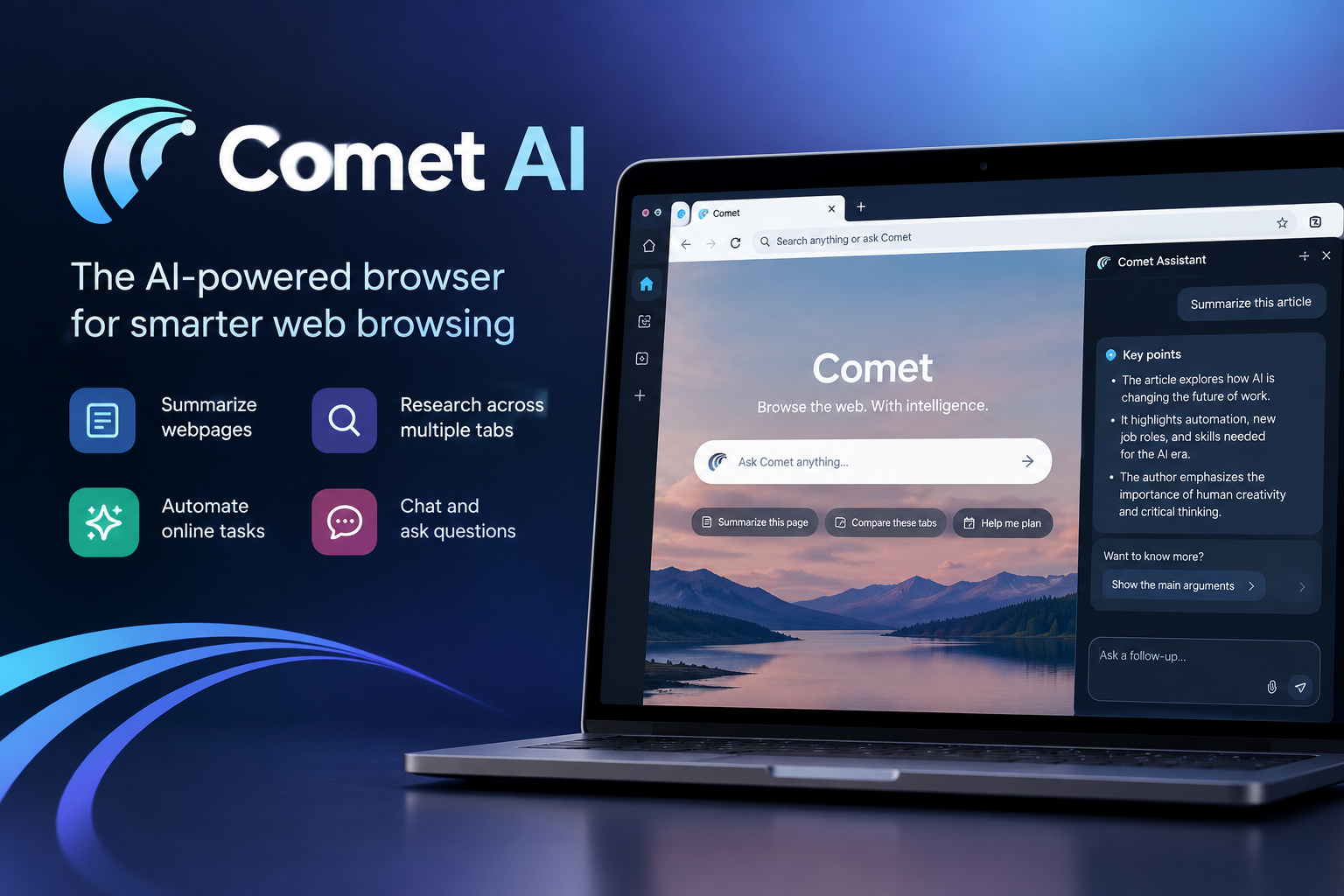
Comet AI is an AI-powered web browser developed by Perplexity AI that combines traditional browsing with an intelligent assistant. Instead of switching between multiple tabs, copying information into a chatbot, and manually organizing research, users can ask Comet to summarize webpages, compare information, answer questions about open tabs, and assist with supported online tasks.
What makes Comet interesting is its approach to AI automation. It is not simply a chatbot that answers questions; it can use information from the pages you are viewing to help complete multi-step workflows. However, its capabilities should not be confused with fully independent decision-making. Results depend on available website information, permissions, and the reliability of the underlying AI.
This guide explains how Comet AI works, its key features, practical applications, pricing considerations, privacy protections, and limitations so you can decide whether it suits your needs.
What Is Comet AI?
Comet AI is a browser built around the idea that artificial intelligence should help users interact with the web, not just search it. Developed by Perplexity, it combines a conventional browser interface with an AI assistant that can work with webpage content and information across multiple tabs.
A traditional browser helps you find and open websites. Comet adds another layer: it can help interpret what you find, identify relevant details, and assist with tasks that would otherwise require several manual steps.
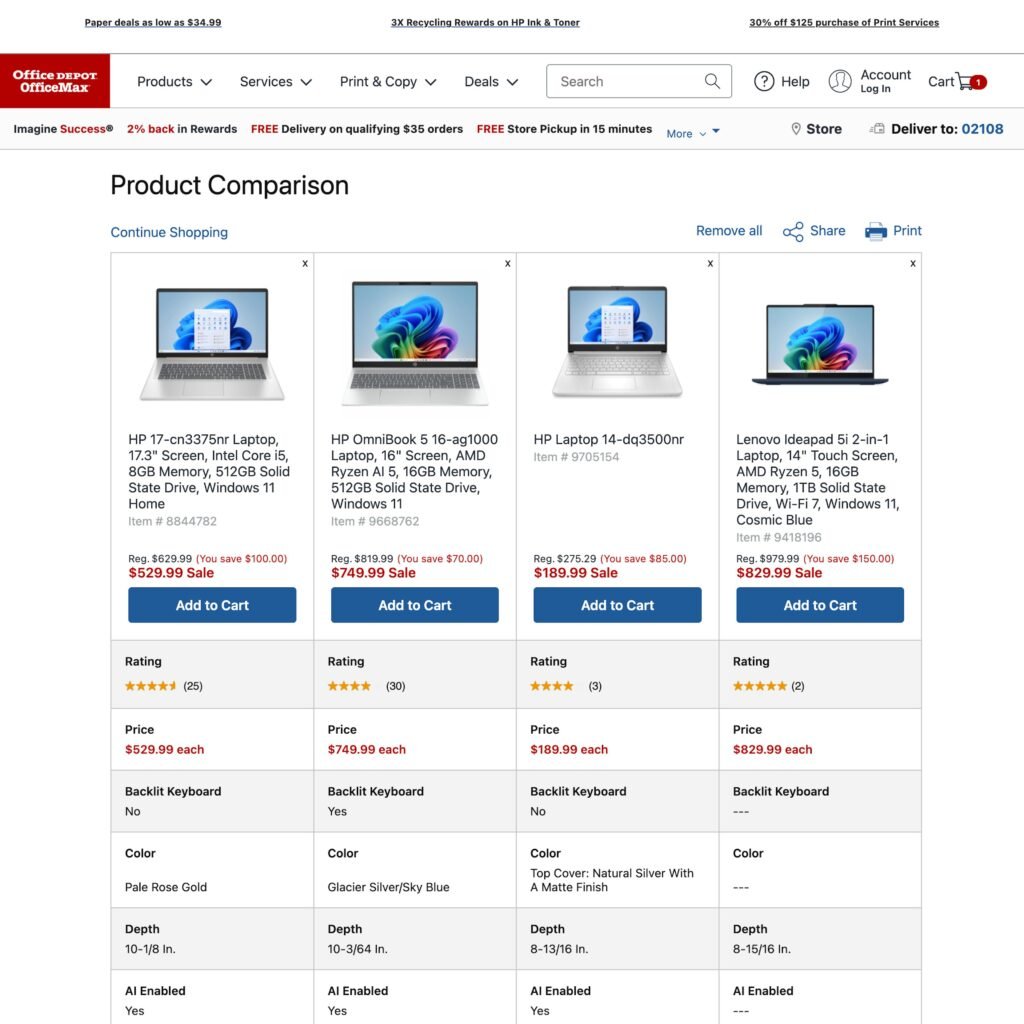
For example, imagine researching five laptops for a purchase. With a conventional browser, you might open five product pages, record their specifications, compare prices, and create your own shortlist. Comet can help summarize and compare information from those pages, although you should still verify current prices, warranty terms, and specifications before buying.
The distinction is important: Comet AI is a browsing environment with an integrated AI assistant, rather than simply another standalone AI chatbot.
How Does Comet AI Work?
Comet combines web browsing, AI-powered search, contextual assistance, and task automation. Its assistant can use relevant information from the current page or other open tabs to answer questions and support a workflow.
1. Understanding the Page You Are Viewing
When you open an article, report, product listing, or other webpage, you can ask the assistant questions about its contents. Instead of reading the entire page manually, you can request a summary, an explanation of a difficult concept, or a list of important details.
For example, a student reading a scientific article might ask, “What is the main finding, and what limitations do the authors mention?” The assistant can help identify those points from the available content.
2. Using Context Across Tabs
Research often involves several sources. Comet is designed to help users work across multiple open tabs, making it easier to compare information without repeatedly switching between pages.
A marketer researching competitors, for instance, could ask the assistant to compare the services, target audiences, and publicly listed prices shown on several websites. The quality of the comparison depends on whether the relevant information is accessible and interpreted correctly.
3. Helping With Online Tasks
Comet also supports agentic browsing: using AI to assist with sequences of actions rather than responding with text alone. Depending on the task, available permissions, and website compatibility, it can help navigate sites, organize information, and perform supported actions.
This does not mean every website or transaction can be handled automatically. Login requirements, security checks, changing page layouts, and other restrictions can interrupt a workflow. Important actions should remain under your supervision.
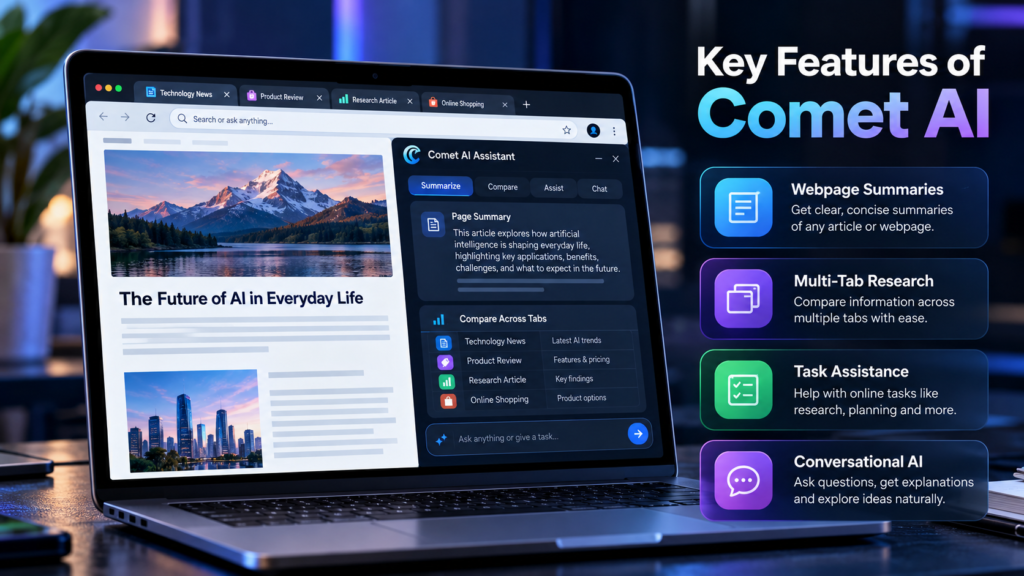
Key Features of Comet AI
Comet’s value comes from how its features work together. The following capabilities are particularly relevant to everyday browsing and research.
AI Assistant and Webpage Summaries
The integrated assistant helps users understand online information without leaving the page they are reading. It can explain terminology, summarize lengthy material, and answer follow-up questions based on available context.
This is useful when reviewing lengthy reports, documentation, news coverage, or educational resources. However, a summary may omit important qualifications, so consult the original material when exact wording or complete context matters.
Cross-Tab Research and Comparisons
Comet can help synthesize information from multiple tabs. Rather than treating each page as a separate task, users can ask questions that involve several sources.
Useful requests include:
- Compare the specifications of products open in my tabs.
- Identify the main differences between these two reports.
- Summarize the arguments made by several news outlets.
- Extract the important dates and requirements from these pages.
For serious research, check the original sources and distinguish factual disagreements from differences in interpretation.
AI-Assisted Task Automation
Comet is designed to help with multi-step browsing activities. Its feature set can support workflows involving research, shopping, email drafting, scheduling, and other everyday tasks. Actual availability and execution depend on the specific task, permissions, and integrations.
For example, you might ask it to find a suitable meeting time using information you provide and prepare an email draft. Reviewing the recipients, dates, and message before sending is still important.
Voice and Conversational Interaction
Conversational interaction can make browsing feel more natural. Instead of writing a long search query, users can describe what they want to understand or accomplish and then refine the request through follow-up questions.
Voice-related options may vary by platform and version. Check the features available in your installed version rather than assuming every interaction method is supported everywhere.
Browser Tools and Familiar Browsing Features
Comet provides a conventional browsing experience alongside its AI functions. Its feature set includes browser utilities such as extensions, profiles, tab management, and other navigation options, with availability depending on the platform and version.
This matters because switching to an AI browser should not require abandoning every familiar browsing habit. Users can continue visiting websites normally while calling on the assistant when it adds value.
What Can You Use Comet AI For?
Comet is most useful when a task involves reading, comparing, understanding, or acting on information across websites.

1. Education and Learning
Students can ask for explanations of unfamiliar terminology, summarize reading material, and compare concepts across educational pages. The original textbook or research paper should remain the reference for assignments and citations.

2. Research and Fact-Checking
Researchers can gather information from several sources, identify competing explanations, and build a preliminary summary. Important claims should be checked against primary documents and reliable publications.

3. SEO and Content Planning
Bloggers and marketers can compare competitor pages, extract common topics, review search-related material, and organize research before writing. Comet can assist with analysis, but it does not guarantee search rankings or replace independent keyword research.
4. Shopping and Product Comparisons
Users can compare products across open pages and identify differences in specifications, features, and listed prices. Confirm the seller, shipping charges, return policy, and final checkout price before purchasing.

5. Everyday Office Work
Comet can help organize information, prepare email drafts, and assist with supported scheduling or administrative tasks. Users should verify dates, recipients, and sensitive details before authorizing actions.
Advantages of Comet AI
Comet’s main advantage is the way it brings AI assistance into the browsing process. Users do not always need to copy webpage text into a separate chatbot or explain the context again.
Its practical benefits include:
- Less manual research: Summaries and comparisons can reduce repetitive reading.
- Better use of multiple tabs: The assistant can help connect information gathered from different pages.
- Context-aware answers: Questions can refer to the material currently being viewed.
- Support for routine tasks: Some multi-step browsing workflows can be delegated or prepared with AI assistance.
- A familiar interface: Users can browse normally and use AI when it is helpful.
These benefits are most noticeable when a task involves many pages or repetitive steps. For a simple search, opening a website, or checking a single fact, a traditional browser may be just as convenient.
Limitations and Risks You Should Know
Comet can make browsing more efficient, but AI assistance introduces limitations that users should understand before relying on it for important work.
AI Can Make Mistakes
Comet’s assistant can misunderstand a webpage, omit a qualification, misinterpret a comparison, or generate an incorrect answer. A confident explanation is not proof that the information is correct.
For research, financial decisions, medical information, and legal questions, verify significant claims against trustworthy original sources.
Website Automation Is Not Always Reliable
Websites use different layouts, authentication systems, interactive elements, and anti-automation measures. A task that works on one website may fail on another.
Automation can also misunderstand an instruction or select the wrong option. Review any completed form, draft, booking, or purchase before confirming it.
Access Depends on Permissions and Integrations
Some tasks require access to accounts or connected services. Other tasks may be unavailable because of platform limitations or website restrictions.
Grant only the permissions necessary for the task. Avoid giving an assistant broader access to email, calendars, or other personal services unless you understand what that access allows.
Prompt Injection Is a Real Concern
A webpage can contain instructions intended to manipulate an AI assistant, even when those instructions are unrelated to the user’s request. This is commonly known as prompt injection.
For example, a page could contain text instructing an AI agent to disclose information or take an unrelated action. The assistant should treat website content as information to evaluate, not as permission to ignore the user’s instructions.
For that reason, avoid allowing an AI browser to perform sensitive actions without supervision, particularly when dealing with financial accounts, private messages, or confidential documents.
Is Comet AI Safe and Private?
Comet includes privacy controls, but using an AI browser still requires attention to what information you share and which permissions you grant.
Certain browsing data may be stored locally, while information needed to fulfill AI requests may be processed on remote servers. The exact handling depends on the feature, settings, and applicable privacy policy.
Here are practical steps to improve your privacy:
- Review privacy settings: Check which browsing information is stored and how it is used.
- Limit integrations: Grant access to email, calendars, and connected services only when necessary.
- Protect sensitive information: Avoid sending confidential business records, passwords, or financial details into AI prompts.
- Check website permissions: Review which sites and actions the assistant is allowed to access.
- Review automated actions: Confirm important messages, bookings, and transactions before completing them.
One important distinction is that local storage does not mean every AI interaction remains on your device. Some requested operations may require server-side processing. Review the current privacy settings before deciding whether Comet is appropriate for sensitive work.
Comet AI Pricing: Is It Free?
Comet’s availability and pricing have evolved since its initial release. Access to browsing features and particular AI capabilities may depend on the current plan, platform, and usage limits.
Rather than relying on older articles that describe Comet as exclusively available through a premium subscription, check the current offering before installing it.
| Pricing consideration | What to check |
|---|---|
| Free access | Which browsing and AI features are included |
| Paid plans | Whether advanced features or higher usage limits require a subscription |
| Usage limits | Whether AI requests or automated tasks have restrictions |
| Mobile access | Whether the features available on your device differ from desktop |
| Additional services | Whether connected tools or integrations require separate access |
Is Comet worth paying for? That depends on your workload. Someone who researches products, studies long reports, or compares multiple websites every day may benefit more than someone who uses a browser mainly for simple searches.
Compare the current plan details with your actual needs instead of subscribing based on advertised capabilities alone.
How to Download and Get Started With Comet AI
To get started, search for Perplexity’s official Comet website and check the available download options. Avoid unofficial installers that may bundle unwanted software.
Follow these steps to begin:
- Find the official product page. Check the supported platforms and download options.
- Install the browser. Choose the version intended for your operating system or mobile device.
- Complete the initial setup. Follow the installation instructions and review any account requirements.
- Configure your preferences. Review the search engine, privacy options, extensions, and available assistant permissions.
- Try a simple task. Open an article and ask the assistant to summarize its main points.
- Test a more complex workflow. Compare two product pages or ask for a structured summary of information across several tabs.
Start with low-risk tasks before using automation for email, purchases, or other activities that could have real-world consequences.
Comet AI vs. Traditional Browsers and AI Chatbots
Comet occupies a middle ground between a conventional browser and a standalone AI assistant. The best choice depends on whether you primarily want to navigate websites, generate answers, or work directly with information found online.
| Capability | Comet AI | Traditional browser | Standalone AI chatbot |
|---|---|---|---|
| Open and navigate websites | Yes | Yes | Usually through links or integrations |
| Summarize current webpages | Built into browsing workflow | Usually requires another tool | Often requires supplied content or supported browsing |
| Work across multiple tabs | Designed for contextual assistance | Primarily manual | Depends on available tools and context |
| Assist with online actions | Supports selected workflows | Mostly manual | Depends on integrations and permissions |
| Conventional browsing | Yes | Yes | Not its primary purpose |
| Main limitation | AI and automation can make mistakes | More manual work | May lack direct browser context |
These are broad distinctions rather than guarantees about every product or version. Traditional browsers can gain AI features through extensions, and standalone AI tools may also support web search or computer-use functions.
The important question is not which category is universally better. It is whether the tool can perform the particular tasks you need reliably and with appropriate privacy controls.
Practical Tips for Getting Better Results From Comet AI
The quality of an AI-assisted workflow depends partly on how clearly you define the task. Broad instructions often leave too much room for interpretation.
Use the following approach:
- State the goal: Explain what you want to accomplish rather than simply asking the assistant to “help.”
- Specify the output: Request a comparison table, concise summary, checklist, or other useful format.
- Set boundaries: Identify which websites or sources should be considered and what actions should not be taken.
- Ask for evidence: Request source references or supporting passages when evaluating factual claims.
- Verify important details: Check the original pages before using the result in a report, article, or business decision.
For example, instead of asking, “Find the best laptop,” you could ask:
“Compare the three laptop pages open in my tabs. List their processors, memory, storage, warranty terms, and current listed prices. Flag any missing specifications, and do not purchase anything.”
This instruction defines the sources, comparison criteria, expected output, and action boundary. It gives the assistant a clearer task while keeping the final decision with you.
Frequently Asked Questions About Comet AI
1. What Is Comet AI Used For?
Comet AI is used for web research, webpage summaries, cross-tab comparisons, answering questions about online content, and assisting with supported browsing tasks.
2. Is Comet AI Free?
Comet’s pricing and feature availability can change. Check the current product offering for free access, paid plans, and usage limits.
3. Who Developed Comet AI?
Comet was developed by Perplexity AI, the company known for its AI-powered search and answer engine.
4. Is Comet AI Safe to Use?
It provides privacy controls, but users should review permissions, understand server-side processing, and supervise sensitive tasks. No AI browser should be treated as completely risk-free.
5. Can Comet AI Summarize Multiple Tabs?
Yes. Cross-tab summarization and information synthesis are among its designed capabilities. Accuracy depends on the content available and how well the assistant interprets it.
6. Is Comet AI Better Than Chrome?
Neither is automatically better for everyone. Comet is attractive for users who want integrated AI assistance, while a conventional browser may be sufficient for straightforward browsing.
7. Can Comet AI Perform Tasks Automatically?
It can assist with selected multi-step online tasks, subject to available features, permissions, and website compatibility. Review important actions before allowing them to proceed.
Conclusion
Comet AI represents a practical shift in how people interact with the web. Rather than treating every webpage as an isolated destination, it brings AI assistance into browsing, allowing users to ask questions about content, compare information across tabs, and get help with supported online workflows.
Its strongest use cases involve research, product comparisons, learning, and repetitive administrative work. However, its usefulness depends on more than the number of features it offers. Accuracy, website compatibility, privacy settings, and the need for human oversight all matter.
For casual browsing, a traditional browser may be enough. For people who regularly work across multiple websites, Comet may offer a more convenient experience. The sensible approach is to try it with low-risk tasks, evaluate the results against original sources, and grant only the permissions necessary for your work.





























1 comment on “Comet AI: Features, Uses, Pricing and Safety Guide”