


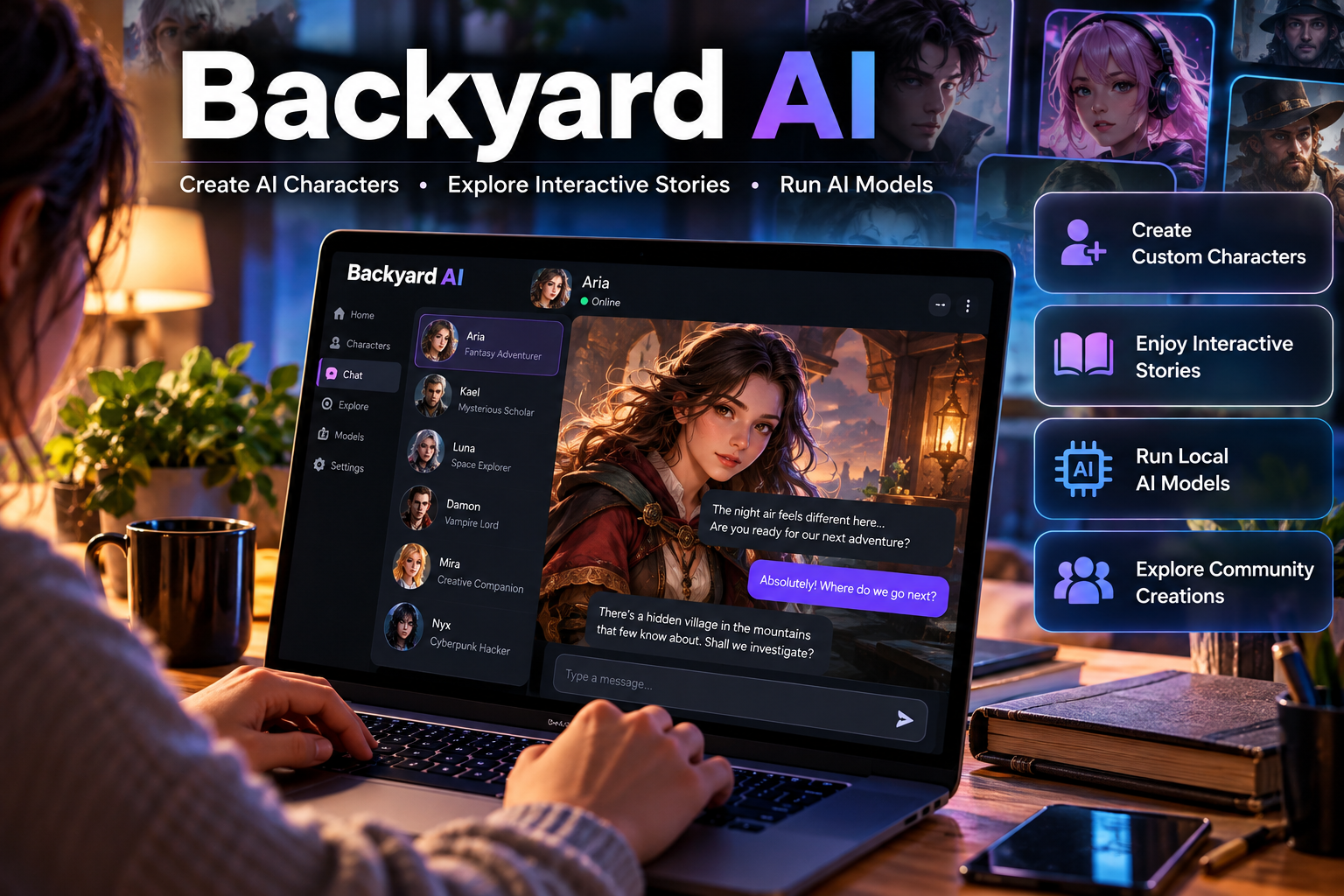
Backyard AI is an AI-powered platform designed for people who want to create virtual characters, enjoy interactive storytelling, and experiment with different language models. Instead of offering only a general-purpose chatbot, it focuses on personalized conversations, roleplaying, and immersive fictional experiences. Users can build characters with individual personalities, backgrounds, and speaking styles, or explore creations shared by the community. The platform has also supported running compatible AI models directly on a computer through its desktop application, giving users more control over their conversations. Cloud-based models are available for those who prefer not to depend entirely on their own hardware.
Whether you are discovering AI character chat for the first time or looking for a more customizable alternative to conventional chatbots, Backyard AI offers several options worth understanding. This guide explains how the platform works, which features matter most, how its pricing is structured, and what to consider before using it.
What Is Backyard AI?
Backyard AI is a platform for creating and interacting with AI-powered characters. It uses large language models (LLMs) to generate responses based on conversation history, character instructions, and the information provided to the model.
The platform is particularly suited to creative activities, including:
- Interactive roleplaying and text adventures.
- Creative writing and fictional dialogue.
- Building custom AI personalities.
- Exploring conversations with community-created characters.
- Experimenting with compatible language models.
For example, a writer developing a fantasy novel could create an AI character who behaves like a medieval detective. By defining the character’s background, personality, knowledge, and speaking style, the writer can simulate conversations and test how the character responds to different situations.
The important distinction is that Backyard AI is a customizable character-chat platform rather than simply a search engine or a general productivity assistant. Although it can support some writing and brainstorming tasks, its core experience revolves around interactive characters and stories.
How Does Backyard AI Work?
Backyard AI combines a conversational interface with an AI language model. The interface manages characters, conversation settings, and other tools, while the model generates the actual responses.
There are two main ways to use AI models through the platform.
1. Run AI Models Locally
The desktop application has supported running compatible language models on your own computer. This type of setup commonly uses local inference software to execute supported models without sending every prompt to a cloud-based AI service.
In practical terms, the process involves installing compatible software, selecting a supported model, creating or choosing a character, and beginning a conversation.
Local inference has several advantages:
- Greater control: You can choose among supported models and customize generation settings.
- Offline access: A properly configured local setup can work without an internet connection once the required software and models are available.
- Local conversation storage: Data can remain on your device when the entire setup operates locally.
- No cloud-model usage fees: Local inference does not require paying per-message cloud inference charges, although electricity and hardware costs still apply.
The trade-off is performance. Larger models generally need more memory and computing power, and a computer with limited resources may generate responses slowly.
Important: Backyard AI’s legacy desktop application has been marked deprecated and unsupported. Check the platform’s current documentation before relying on older installation instructions or assuming local-model features remain supported.
2. Use Cloud-Based Models
Backyard AI also offers cloud-hosted models through its subscription plans. In this arrangement, the provider runs the model on remote hardware, and your device sends requests over the internet.
This approach can make larger models available without requiring an expensive graphics card or substantial local memory.
Cloud models are especially useful when you want to:
- Access models that are too demanding for your computer.
- Avoid downloading and managing large model files.
- Use a more convenient setup without configuring local hardware.
- Experiment with different supported models.
However, cloud access depends on an internet connection and the availability of the relevant subscription and model. It also means that you must evaluate data handling separately from the local desktop experience.
The distinction matters: using Backyard AI locally and using its cloud models are not the same from a privacy, hardware, or cost perspective.
Key Features of Backyard AI
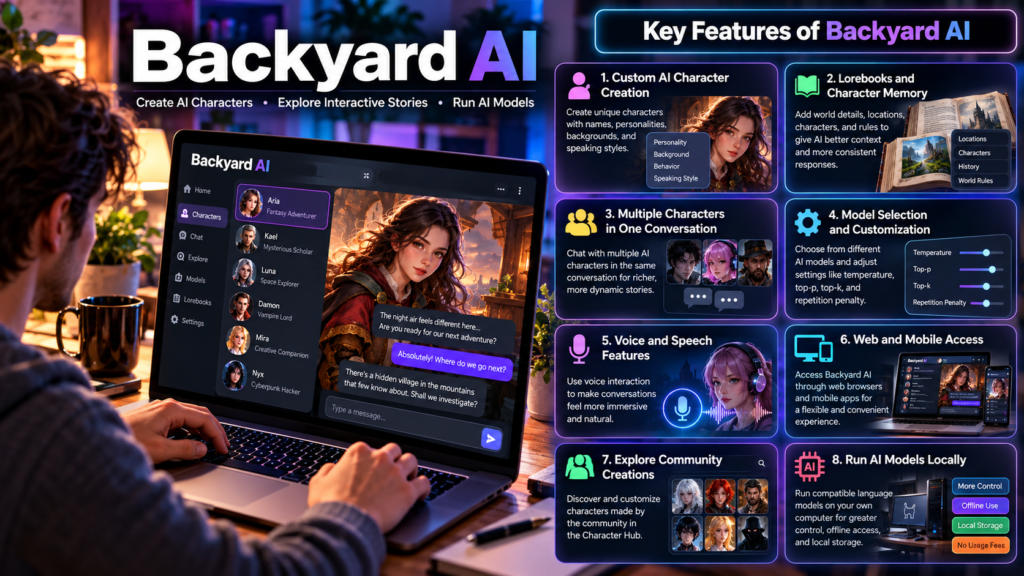
Backyard AI offers more than basic chatbot conversations. Its tools are designed to help users shape characters, maintain fictional context, and control how an AI model responds.
1. Custom AI Character Creation
Character creation is one of the platform’s central features. You can define a character’s name, personality, background, behavior, and conversational style.
A well-written character description can make a noticeable difference. Compare a vague instruction such as “You are a detective” with a more detailed description that explains the detective’s experience, methods, temperament, and way of speaking. The second gives the model more guidance for producing consistent dialogue.
You can also explore existing characters through the community Character Hub and customize compatible creations to suit your story.
2. Lorebooks and Character Memory
Lorebooks provide additional information that can help an AI character understand a fictional world. They are useful for storing details about locations, organizations, characters, historical events, and important rules.
Imagine building a science-fiction story set on a distant planet. A lorebook could describe the planet’s political system, its major cities, and the relationship between rival groups. When relevant information is included in the model’s context, the AI can use it to generate more consistent responses.
However, a lorebook is not the same as permanent human-like memory. Information must be made available to the model at the appropriate time, and the model can still overlook details or contradict earlier events.
3. Multiple Characters in One Conversation
Backyard AI has offered group chats involving multiple characters. This allows users to create conversations involving several fictional personalities instead of exchanging messages with only one character. The available character limit depends on the applicable plan and current features.
For example, a writer could simulate a meeting between a detective, a witness, and a journalist. Each character could have a different perspective, creating opportunities to test dialogue and explore alternative story directions.
The quality of the result depends on the model’s ability to keep track of multiple speakers, follow their individual instructions, and maintain a coherent conversation.
4. Model Selection and Customization
Different language models have different strengths. Some are designed for instruction following, while others may be more suitable for creative writing or roleplaying.
Backyard AI’s cloud offerings have included different model selections and adjustable generation parameters. Depending on the model and interface, these settings can include temperature, top-p, top-k, and repetition penalty.
These settings influence how responses are generated:
- Temperature: Higher values generally produce more varied responses, while lower values tend to make them more predictable.
- Top-p: Limits next-token choices using a cumulative probability threshold.
- Top-k: Restricts choices to a specified number of likely next tokens.
- Repetition penalty: Helps reduce unwanted repetition in generated text.
You do not need to understand every setting to start chatting. Default settings are a reasonable starting point, and adjustments become useful when responses feel repetitive, inconsistent, or too predictable.
5. Voice and Speech Features
Backyard AI has offered voice-related functionality, and its mobile app has been associated with text and voice interactions. Feature availability can vary by platform, subscription, and current app version.
Voice interaction can make fictional conversations feel more immediate, particularly when users want to listen to dialogue rather than read every response. Still, check the features available in the version you intend to use rather than assuming voice support is identical everywhere.
6. Web and Mobile Access
Backyard AI supports web access, including use through desktop and mobile browsers, and has offered an iOS application. Android availability may change, so users should verify current support before expecting a native Android experience.
What Can You Use Backyard AI For?
Backyard AI is most useful when a task benefits from an ongoing fictional conversation or a clearly defined character.
Creative writing and worldbuilding
Develop fictional characters, test dialogue, explore plot alternatives, and organize the background information of a fictional universe. A writer can use a character conversation to discover how a protagonist might react to a difficult choice.
Interactive storytelling
Create branching adventures in which your choices influence what happens next. This can be useful for fantasy quests, mystery scenarios, science-fiction adventures, and other text-based experiences.
Dialogue practice and brainstorming
Experiment with character voices, rewrite conversations, or simulate a fictional interview. Treat the results as creative suggestions rather than authoritative research.
Informal learning and practice
Practice conversations, explore fictional historical scenarios, or ask a character to explain a concept. For factual learning, verify important claims against reliable educational sources.
These are practical applications of character-based AI, not guarantees that every model will perform each task equally well.
Backyard AI Pricing: Is It Free?
Backyard AI has offered a free tier and paid cloud subscriptions. The following prices and allowances reflect previously published plan information and should be verified before purchasing because subscriptions can change.
| Plan | Previously published monthly price | Main allowance |
|---|---|---|
| Free | $0 | 300 messages per week, one included cloud model, up to 16K context |
| Standard | $12/month | Unlimited messages with Standard models, up to 16,384-token context |
| Pro | $35/month | Standard and Pro models, up to 100,000-token context |
Which Plan Should You Choose?
Free plan: Suitable for trying character chat, testing the interface, and deciding whether the platform fits your needs. The previously published free allowance was limited to 300 messages each week.
Standard plan: Worth considering if you use the platform regularly and want access to its Standard cloud models without the free plan’s message allowance.
Pro plan: Designed for users who want a broader model selection and a longer context window. It may be more useful for complex, extended roleplaying sessions.
The context window deserves particular attention. It determines how much text the model can consider at once, including relevant instructions and conversation history. A larger window can help with long stories, but it does not guarantee perfect recall or prevent contradictions.
Before subscribing, consider how often you use the service, which models you need, and whether a longer context window would meaningfully improve your experience.
Backyard AI vs. Other AI Chatbots
Backyard AI is not a direct replacement for every AI assistant. Its strongest use case is character-based interaction, so the best alternative depends on what you want to accomplish.
| Platform | Best suited for | Main difference |
|---|---|---|
| Backyard AI | Custom characters and interactive roleplay | Focuses on character customization and storytelling |
| Character.AI | Character conversations and community experiences | Centers on discovering and chatting with characters |
| ChatGPT | General assistance, research, writing, and problem-solving | Offers a broader range of everyday assistant tasks |
| SillyTavern | Advanced character-chat customization | Provides an interface that can connect to supported AI backends |
| Jan | Exploring local AI assistants | Focuses on running and managing AI models locally |
The comparison describes each tool’s general purpose, not a claim that one consistently produces better responses. Performance depends on the selected model, configuration, and task.
ChatGPT is a good choice for research, everyday questions, and general assistance, while Backyard AI is better suited to creating detailed characters and interactive stories. If you prefer more control over local AI models and customization, SillyTavern and Jan are also worth considering.
Privacy and Safety: What Should You Know?
Privacy is an important consideration for any AI character platform, especially when conversations contain personal details or unpublished creative work.
Local Processing Versus Cloud Processing
When a supported model runs entirely on your own computer, prompts and generated responses can remain on that device. This can reduce the amount of conversational data sent to an external service.
Cloud models work differently because requests are processed on remote infrastructure. Their data handling depends on the provider’s policies and technical arrangements.
Because Backyard AI’s older desktop application has been marked deprecated, do not assume that every current version offers the same local-processing capabilities advertised in older guides. Check the documentation for the specific product and version you plan to use.
Practical Privacy Precautions
- Avoid sharing passwords, financial information, private identification details, or confidential business documents.
- Review the current privacy policy and terms before using cloud models.
- Check whether chat history, account information, and other data are retained or processed by external services.
- Remember that AI-generated responses can contain incorrect information or reflect harmful assumptions.
- Use additional safeguards when children or teenagers access character-chat services.
Privacy also depends on your device, account security, network configuration, and the features you enable. No service should be treated as automatically risk-free.
Advantages and Limitations of Backyard AI
Backyard AI has several strengths, but it is important to weigh them against its practical limitations.
Advantages
- Character customization: You can create personalities with distinct backgrounds and behavior.
- Creative flexibility: It supports interactive stories, fictional dialogue, and roleplaying.
- Community content: The Character Hub makes it possible to discover and customize existing characters.
- Multiple model options: Cloud plans have offered a choice of models with different capabilities.
- Longer context options: Paid plans have included larger context windows for extended conversations.
Limitations
- Not primarily a research tool: Character-oriented responses are not a substitute for verified factual research.
- Plan restrictions: The free cloud plan has had a weekly message limit and restricted model selection.
- Model-dependent quality: Some models may lose context, repeat themselves, or generate inconsistent dialogue.
- Cloud dependency: Cloud models require internet access and depend on service availability.
- Changing desktop support: The legacy desktop application has been marked deprecated, so older local-model tutorials may no longer describe a supported setup.
These limitations do not make the platform unsuitable. They simply help establish what it is designed to do and where another tool may be more practical.
How to Get Started With Backyard AI
If you are new to the platform, start with the current web experience rather than relying on an older desktop installation.
- Visit the official website. Open the Backyard AI website and review the current web experience and available sign-in options.
- Explore the Character Hub. Find a character that matches your interests, or begin with a simple original character.
- Write clear character instructions. Include the character’s personality, background, speaking style, and role in the conversation.
- Start with a simple scenario. For example, ask a fictional detective to investigate a mysterious letter. Give the character enough context to respond meaningfully.
- Adjust the setup. If responses are repetitive or inconsistent, refine the character instructions or experiment with available generation settings.
- Review the plan limits. If you need more messages or a wider model selection, compare the current subscription options before paying.
A useful tip is to make character instructions specific without making them unnecessarily long. A clear goal, a few personality traits, and relevant background information often provide a better starting point than a large block of conflicting rules.
Frequently Asked Questions About Backyard AI
1. What is Backyard AI used for?
Backyard AI is mainly used to create custom AI characters, participate in interactive roleplaying, develop fictional stories, and explore character-based conversations.
2. Is Backyard AI free?
Yes. Backyard AI has offered a free plan with a published allowance of 300 messages per week. Paid plans provide additional model access and different context limits.
3. Does Backyard AI work offline?
The legacy desktop app supported offline local-model use, but it has been marked deprecated and unsupported. Check current documentation before relying on offline functionality.
4. Is Backyard AI available on mobile?
Backyard AI has supported mobile browser access and offered an iOS app. Check the platform’s current documentation for Android availability.
5. Can you create your own AI characters?
Yes. You can define character personalities, backgrounds, and conversational behavior, as well as explore and customize compatible characters from the community hub.
6. Is Backyard AI safe and private?
Privacy depends on how you use the platform. Local processing can keep conversations on your device, while cloud interactions involve remote processing. Review the applicable privacy policy and avoid sharing sensitive information.
7. Is Backyard AI better than Character.AI?
Neither is universally better. Backyard AI emphasizes character customization and model options, while Character.AI focuses on character discovery and conversations. Your preferred interface, available features, and intended use should guide your choice.
Conclusion
Backyard AI is a useful option for people interested in custom AI characters, interactive storytelling, and personalized roleplaying. Its character-building tools and cloud model choices make it possible to create tailored conversations rather than relying on a basic chatbot setup. However, its value depends on your needs. Casual users may find a free plan sufficient, while frequent users may benefit from a paid subscription and a larger context window. Privacy-conscious users should distinguish between local processing and cloud-based conversations. It is also important to recognize that the older desktop application is no longer supported, despite its historical focus on local AI models. Before getting started, check the current features, pricing, and platform support. That will help you decide whether Backyard AI fits your creative workflow or whether another AI tool would serve you better.

























2 comments on “Backyard AI: Features, Pricing, and How It Works”