


Is Kling AI free? Yes, Kling AI currently offers a free way to use its AI video generation platform, although the free experience comes with important limits. The free tier provides daily credits that reset, while advanced features, higher-quality generation, and some commercial uses may require a paid plan. For beginners, this means you can explore Kling without immediately paying. However, understanding credits is important because different video models and settings can consume them at different rates. This updated guide explains Kling AI’s free plan, pricing, credits, limitations, video generation, and practical value before you decide whether upgrading is necessary for your creative projects or regular video production.
Is Kling AI Free to Use?
Kling AI has a free tier, so you do not necessarily need a subscription to start creating AI-generated videos. Current information indicates that the free experience provides daily credits that reset instead of accumulating indefinitely. The free option is mainly designed for experimentation and personal use. This makes Kling useful for beginners who want to test AI video generation before paying for a subscription. However, free access does not mean every Kling feature is available. Generation quality, video length, models, commercial rights, and watermarks can depend on your plan and selected settings. Therefore, it is important to understand the free tier before relying on it for professional projects.
The biggest advantage of the free plan is that beginners can test Kling before spending money. You can experiment with text-to-video prompts, image-to-video generation, movement, camera directions, and different creative ideas. Free users may have access to fewer advanced capabilities than subscribers, while exported videos can also have restrictions. Therefore, the free plan is better viewed as a testing and experimentation option rather than a complete professional production package. It can still be useful for learning how Kling works without committing to monthly payments. If you only need occasional short clips, the free allowance may provide enough room to understand whether Kling fits your creative workflow.
Kling AI Free Plan: What Do You Get?
The reported free allowance is around 66 credits per day, although Kling can change its credit system and available features. Those credits reset daily, meaning unused credits may not continue building toward a larger balance. The number of videos you can create depends on the selected model, duration, resolution, and other settings. Basic generations generally use fewer credits than advanced generations. Because credit consumption can vary, you should check the displayed cost before creating a video. Therefore, daily credits should not be treated as a guaranteed number of videos. Instead, they represent the amount of generation capacity available to experiment with each day.
Here is a simple overview of the reported free-plan experience:
| Feature | Free Access |
|---|---|
| Account access | Yes |
| Price | $0 |
| Daily credits | About 66 |
| Credit reset | Daily |
| Basic video generation | Yes |
| Watermark | May apply |
| Advanced features | Limited |
| Commercial use | Restrictions may apply |
| Higher-end generation | Paid access may be required |
These details can change as Kling updates its models, plans, and pricing structure. Before starting an important project, check the options displayed inside your account. This is particularly important for creators who need commercial rights, watermark-free exports, or access to the latest video models. For casual users, however, the free tier remains a convenient way to explore AI video creation without an immediate financial commitment.
How Many Videos Can Kling AI Make for Free?
There is no single answer because Kling uses credits rather than giving users a fixed number of videos. A short, basic generation can consume fewer credits than a longer or more advanced generation. For example, a short Standard Mode clip may use around 10 credits for five seconds, while a ten-second generation can require around 20 credits. However, newer models and advanced settings can consume significantly more. Based on these examples, 66 daily credits could potentially cover several short attempts. However, actual output depends on the model and settings selected. Therefore, treat these numbers as practical examples rather than guaranteed daily video limits.
A practical way to use the free plan is to spend credits carefully. Start with shorter clips and simple prompts before attempting longer productions. Generate one version, review the result, and then improve your prompt instead of repeatedly producing nearly identical videos. This approach can stretch your daily allowance further. Advanced Kling models can consume credits much faster, especially when users select longer durations or higher-quality settings. Therefore, people searching “is Kling AI free” should remember that free access provides credits, not unlimited video generation. Your actual number of usable videos depends heavily on the generation settings and how many attempts you need before getting a satisfactory result.
Does Kling AI Put a Watermark on Free Videos?
Watermarks are one of the most important limitations to understand before using Kling AI commercially. Free-plan generations may include watermarks, while paid plans can provide watermark-free output depending on the subscription. A watermark may be acceptable when you are learning, testing prompts, creating personal experiments, or sharing casual examples. However, it can reduce the professional appearance of content intended for clients, websites, advertisements, or branded social media campaigns. Before publishing an important project, check the export options shown inside your Kling account because platform rules and plan benefits can change. This simple check can help prevent surprises when you are preparing content for professional publication.
If you are creating videos for a business, watermark removal is only one consideration. Commercial usage rights can also depend on your subscription and the current terms of service. This distinction matters for freelancers, agencies, marketers, and business owners. A video that looks technically good may still not be suitable for every commercial purpose under a free account. If you plan to monetize your content, carefully review Kling’s current usage terms and the rights attached to your specific plan before publishing or selling generated material. Personal experimentation and commercial production should therefore be treated as separate use cases when evaluating Kling AI.
Kling AI Pricing in 2026: Free vs Paid Plans
Kling AI offers several paid levels for users who need more credits and additional capabilities. Reported 2026 pricing includes Standard at around $10 monthly, Pro at around $37, Premier at around $92, and Ultra at around $180. Prices can vary because promotional offers and annual billing discounts may apply. Reported monthly credit allowances range from hundreds of credits on lower plans to thousands on higher plans. Because Kling can change its pricing structure, these figures should be treated as a general guide rather than permanent prices. Always check the subscription options available in your account before purchasing a plan.
| Plan | Approximate Monthly Price | Reported Credits |
|---|---|---|
| Free | $0 | About 66/day |
| Standard | Around $10 | Around 660/month |
| Pro | Around $37 | Around 3,000/month |
| Premier | Around $92 | Around 8,000/month |
| Ultra | Around $180 | Around 26,000/month |
Some annual subscription options may provide lower effective monthly prices. Subscription credits can also have expiration rules, making usage planning important. If you generate videos only occasionally, the free option may be enough. Regular creators may need additional monthly credits and fewer restrictions. Instead of choosing a plan based only on price, consider how many videos you actually create each month. This makes it easier to select a subscription that matches your real production needs without paying for capacity you rarely use.
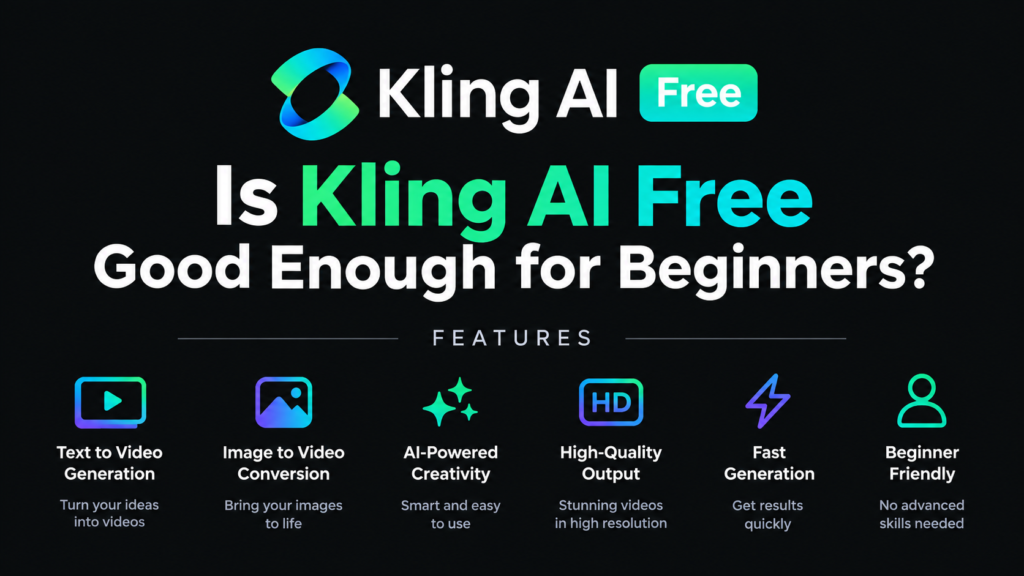
Is Kling AI Free Good Enough for Beginners?
For beginners, Kling’s free access can be a useful starting point because it allows experimentation without an immediate subscription. You can learn how text prompts influence motion, camera movement, composition, and visual storytelling. This is particularly useful when you are still discovering what the platform can do. You also avoid paying for a tool before knowing whether its workflow fits your needs. The free allowance gives beginners an opportunity to experiment with different ideas and understand how credits are consumed. However, daily credits and free-plan restrictions mean beginners should have realistic expectations about production volume and advanced features.
The free plan becomes less convenient when you need consistent professional output. Watermarks, limited features, lower allowances, and commercial-use restrictions can become obstacles for businesses and professional creators. Paid plans are designed for users who generate videos regularly and need larger credit balances. A sensible beginner strategy is to start free, learn the platform, and track how quickly you consume credits. If you repeatedly reach the daily limit or need features unavailable on the free tier, upgrading becomes easier to evaluate based on actual usage. This approach also prevents beginners from paying for a subscription before knowing whether Kling fits their needs.
Kling AI Free vs Paid: What Changes?
The main difference between free and paid Kling AI access is not simply whether video generation works. Both can provide access to AI video creation, but paid subscriptions generally increase available credits and can unlock additional capabilities. Paid plans may also provide watermark-free exports and broader commercial rights depending on the subscription. Free users work with a smaller allowance, while paid users receive larger monthly credit allocations. This makes paid access more practical for people producing videos regularly. However, the value of upgrading depends on your personal workflow. Someone creating occasional experiments has very different requirements from a creator producing dozens of videos every month.
Think about your usage before upgrading. If you create one or two experimental clips occasionally, paying monthly may provide little benefit. If you create social media campaigns, product videos, client projects, YouTube content, or advertisements, additional credits can become more valuable. Advanced models and higher resolutions can also consume credits faster. Therefore, the cheapest plan is not automatically the most suitable plan. Your decision should depend on video frequency, required quality, commercial needs, and how often you need to regenerate clips. Tracking your actual credit consumption for several days can give you a much clearer picture before spending money.
Kling AI Credit System Explained Simply
Kling AI uses credits to measure video generation instead of giving every user unlimited access. The number of credits required depends on factors such as the selected model, video duration, resolution, and audio settings. Newer models can consume several credits per second, while older Standard Mode examples can cost considerably less. This explains why two users with the same subscription can produce very different numbers of videos. Someone creating short, lower-cost clips may generate many more results than someone using longer, high-quality generations with advanced settings. Understanding this system is essential when calculating the real cost of AI video production.
Credit usage becomes especially important when you are testing many variations. AI video generation often requires multiple attempts because motion, characters, backgrounds, and camera actions may not appear exactly as requested. A creator might spend credits on several versions before choosing one final clip. This means your real production cost includes both successful output and experimentation. Some paid-plan credits may expire after the applicable billing period rather than rolling over. Before purchasing, understand both the credit allowance and expiration rules. This helps you avoid paying for credits that remain unused and gives you a clearer idea of your monthly video-generation budget.
Is Kling AI Worth Using for Free?
Kling AI’s free option makes sense for people who want to explore AI video generation without an upfront cost. It gives beginners an opportunity to test the interface, experiment with prompts, and understand credit consumption before subscribing. The free tier is especially useful for learning how different prompts affect movement, camera angles, characters, and scenes. The biggest limitations are restricted features, potential watermarks, and commercial-use limitations. For learning and personal experimentation, those restrictions may be manageable. For professional production, they can become important enough to consider a paid subscription. Your actual requirements should determine whether the free version provides enough value.
Your best starting point is simple: use the free plan first and measure your actual needs. Try several short generations, test different prompts, and see how quickly your credits disappear. If the results meet your expectations and your usage remains light, there may be no reason to subscribe immediately. If you need frequent generations, higher-quality output, watermark-free videos, or commercial rights, compare the available paid plans carefully. You can also explore our AI Video Generators guide and Best AI Tools guide to discover related options. This practical approach keeps your decision based on real usage rather than assumptions or marketing claims.
Final Verdict: Is Kling AI Free in 2026?
So, is Kling AI free? Yes, but it is not unlimited. Current 2026 information indicates that Kling offers a free tier with daily credits, while paid subscriptions provide larger credit allowances and additional capabilities. Free access is useful for beginners, prompt testing, personal projects, and learning the platform. However, watermarks, feature restrictions, commercial-use limitations, and credit consumption can make the free tier less suitable for professional production. The best way to evaluate Kling is to start with the free allowance and monitor your actual usage. If you consistently need more, compare the available paid plans before upgrading. This keeps your spending connected to your real video-generation needs.
Frequently Asked Questions
Is Kling AI completely free?
Kling AI offers a free tier, but it does not provide unlimited generation. Free users receive a limited credit allowance and may face restrictions on certain features, exports, and commercial usage. The exact allowance can change as Kling updates its plans.
How many free credits does Kling AI give?
Current information indicates that Kling can provide approximately 66 free credits per day. The allowance resets daily, so unused credits may not continue building into a larger balance. Credit availability can change with future platform updates.
Can I use Kling AI videos commercially for free?
Commercial usage may be restricted on the free plan. If you intend to use Kling-generated videos for business, advertising, client work, or monetized projects, review the current usage terms and subscription requirements before publishing.
Does Kling AI free have a watermark?
Free-plan videos may include a watermark. Paid plans can provide watermark-free output depending on the subscription. Check your current export options before creating content intended for professional or commercial publication.
Is Kling AI worth trying without paying?
Yes. The free tier provides a practical way to test Kling before subscribing. Start with short videos, experiment with prompts, and monitor your credit usage. This helps you decide whether the available features are enough for your needs.











1 comment on “Is Kling AI Free? 2026 Pricing, Credits & Review”