


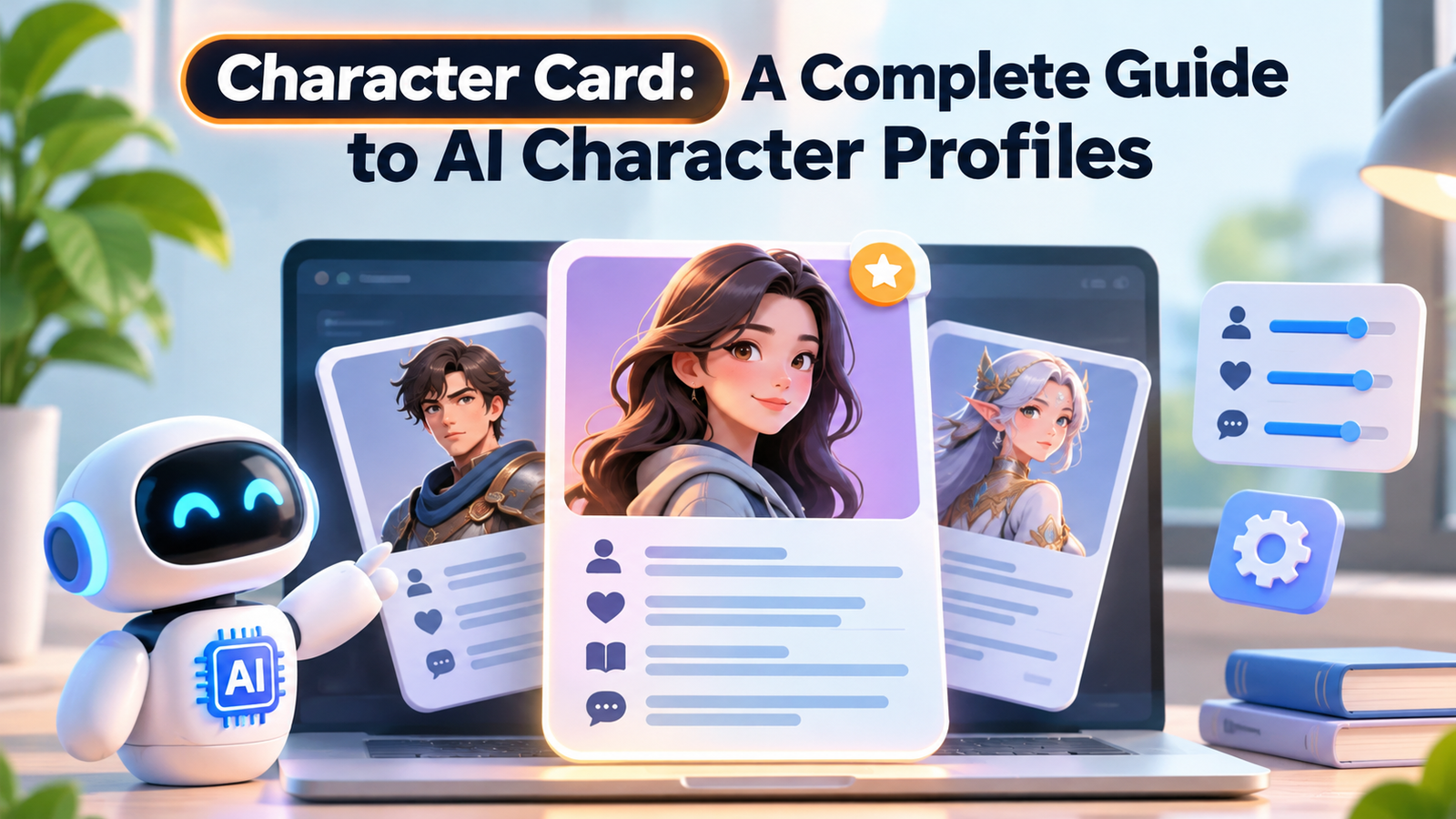
A character card is a structured profile that defines a character’s identity, personality, background, behaviour, and role in an AI-powered conversation. It is commonly used in AI roleplay platforms to help language models portray fictional characters more consistently. Instead of explaining a character from scratch every time, users can load a character card containing information about how that character should communicate, respond, and behave in different situations.
Character cards have become an important part of AI roleplay communities, particularly those using platforms such as SillyTavern and other compatible chat applications. They can contain descriptions, example conversations, opening messages, fictional scenarios, and additional world information. Understanding how these files work helps beginners create more believable AI characters, customize existing profiles, and move character definitions between compatible applications.

What Is a Character Card in AI?
In AI roleplay, a character card is a digital file that gives a language model instructions and background information about a fictional personality. It acts as a reusable character profile that an AI application can include in its prompts when generating responses.
For example, imagine creating an AI character named Alex Morgan, a detective working in a fictional city. Instead of simply telling the AI to act like a detective, you can create a character card that explains:
- Identity: Alex is a 32-year-old private investigator.
- Personality: Observant, patient, intelligent, and occasionally sarcastic.
- Background: Alex previously worked for the city’s police department.
- Communication style: Uses direct language and asks detailed questions.
- Scenario: The conversation begins when a client visits Alex’s office with a mysterious case.
When someone starts a conversation, the application uses this information as part of the model’s context. The AI then generates responses based on the character definition, the conversation history, and its general language capabilities.
However, a character card does not create a separate AI model. It provides instructions and contextual information to an existing model.
How Does an AI Character Card Work?
A character card works through prompt construction. The application reads the information stored in the file and places relevant details into the prompt sent to a large language model (LLM).
A large language model generates text by predicting suitable continuations based on its input. The character card helps guide those predictions by providing a consistent fictional identity and conversational setting.
The general process involves five steps:
- Character creation: A creator writes the character’s name, personality, background, and other details.
- File preparation: The information is organized into a supported character card format.
- Importing: A compatible application reads the card and extracts its information.
- Prompt construction: The application adds character instructions and relevant conversation context to the model’s input.
- Response generation: The AI produces a response using the supplied information and its existing capabilities.
The process can vary between applications. Some platforms also support additional instructions, memory systems, lorebooks, and custom model settings.
An important distinction is that the card does not permanently train the AI. It provides contextual instructions during conversations. How consistently the model follows those instructions depends on the model, prompt design, context availability, and application settings.
What Information Does a Character Card Contain?
A well-structured character card contains several fields. Each field serves a different purpose, helping the AI understand the character and the situation.
1. Character Name
The name identifies the character inside the application. It may also be used by the application when replacing character-related prompt variables.
For example:
name: Alex Morgan
A clear name makes the profile easier to recognize, organize, and share.
2. Description
The description provides the character’s main background information. It can explain:
- Physical appearance
- Personal history
- Occupation
- Relationships
- Motivations
- Important life events
This field is particularly useful for establishing facts that should remain consistent throughout a conversation.
3. Personality
Personality describes how the character behaves and communicates.
For example, a character might be:
- Friendly but cautious.
- Confident when discussing professional subjects.
- Quiet around unfamiliar people.
- Humorous with close friends.
- Protective of people they trust.
Specific behavioural descriptions are generally more useful than simply listing adjectives.
4. Scenario
The scenario establishes the situation in which the conversation begins.
For example, a fantasy character might live in a kingdom facing a political conflict. The user could meet that character while travelling through the capital.
This information helps establish the setting and gives the AI a starting point for the interaction.
5. First Message
The first message, commonly called first_mes, is the character’s opening response.
A useful opening should introduce the situation and give the user something meaningful to respond to.
For example:
“You’re finally here. I’ve been waiting at this station for almost an hour. Did something happen on your way?”
This is more engaging than a generic greeting because it establishes a situation immediately.
6. Example Dialogue
Example dialogue demonstrates how the character should speak.
For example:
<START>
{{user}}: Are you worried about the mission?

{{char}}: A little. But worrying won't solve anything.
We need a plan before sunrise.
These examples help demonstrate tone, sentence structure, and conversational behaviour.
7. Additional Character Information
More advanced character cards can include:
- Alternate greetings for different conversation openings.
- Tags for categorizing characters.
- Creator notes for explaining the profile to other users.
- System prompt instructions.
- Character-specific lorebooks.
- Application-specific extensions.
These additional fields are part of the broader V2 specification.
Character Card Formats: PNG, JSON, and Other Files
Character cards are not limited to one file type. Their format affects how they are stored, shared, and imported into different applications.
PNG Character Cards
PNG is a popular format for sharing character cards.
A PNG character card can contain an ordinary character portrait alongside embedded character information. This means the image can look like a normal picture while carrying structured data that compatible applications can extract.
The important detail is that the character information is not simply the visible image. It is stored in additional image metadata.
Consequently, converting the original PNG into another image format or processing it through an editor that removes metadata can destroy the embedded character definition.
JSON Character Cards
JSON is a structured data format commonly used to organize information in software applications.
A JSON character card stores character details as readable data rather than hiding them inside an image.
For example:
{
  "name": "Alex Morgan",
  "description": "A private investigator working in a fictional city.",
  "personality": "Observant, intelligent and patient.",
  "scenario": "A new client arrives at the detective's office.",
  "first_mes": "Please, take a seat. Tell me what happened."
}
This is a simplified illustration rather than a complete V2 export.
JSON files are useful when creators want to inspect, edit, or manage character information directly.
CHARX and Other Formats
Some newer character-card ecosystems support additional formats, including CHARX.
CHARX is associated with Character Card V3 and provides a package format for organizing character information alongside additional assets.
The format matters because not every application supports every version or extension. Checking compatibility before importing a card can prevent unnecessary troubleshooting.
Character Card V1, V2, and V3: What Is the Difference?
Character Card V1, V2, and V3 represent different stages in the development of the community’s character-card formats.
Each version builds on the same basic idea: storing a reusable character definition in a format that compatible applications can interpret.
| Version | Main characteristics |
|---|---|
| V1 | Basic character information and conversation examples |
| V2 | Structured JSON wrapper, additional instructions, alternate greetings and lorebook support |
| V3 | Expanded character information and support for additional assets and packaging |
Character Card V1
V1 introduced the basic structure used by early character-card systems.
Its core fields include:
- Name
- Description
- Personality
- Scenario
- First message
- Example dialogue
These fields provide enough information to create a basic conversational character.
Character Card V2
V2 expands the original structure with additional fields and a standardized JSON wrapper.
It includes features such as alternate greetings, creator notes, character books, system prompt instructions, tags, and extensions.
This makes it more suitable for creators who want to develop detailed characters and share them between compatible applications.
Character Card V3
V3 extends the character-card format further, particularly for creators working with additional character assets and more complex profiles.
Its expanded structure supports features such as nicknames, additional assets, group-specific greetings, and CHARX packaging.
However, support for V3 features depends on the application. A platform may import basic character information without supporting every advanced feature.
Popular Platforms That Support AI Character Cards
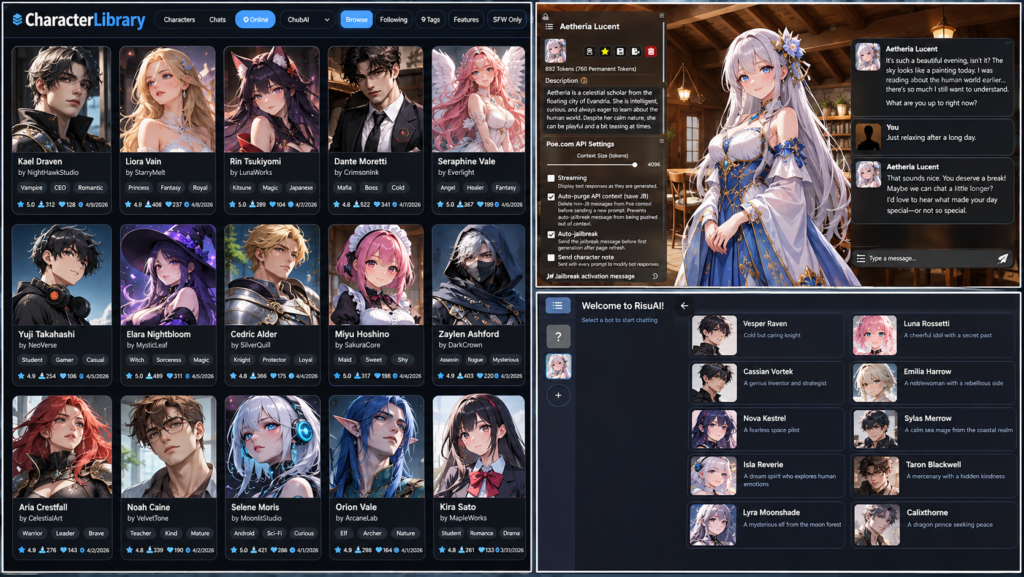
Several AI roleplay applications use character definitions to create interactive fictional personalities. Their import options, model connections, and customization capabilities differ.
SillyTavern
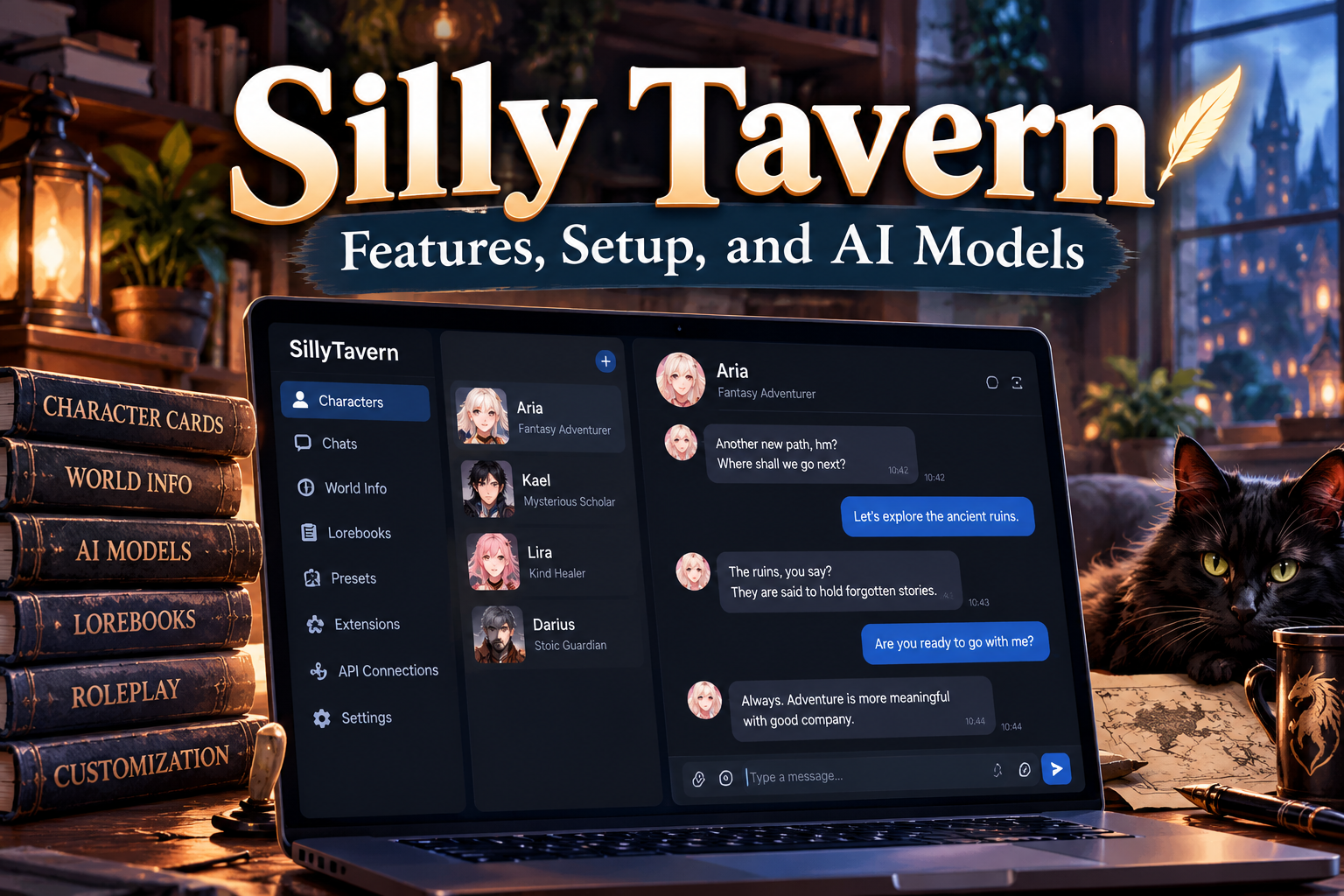
SillyTavern is an open-source frontend designed for interacting with language models through customizable chat interfaces.
It is particularly relevant to character-card users because it supports character definitions, example messages, prompt settings, and additional world information.
Users can connect compatible model services and customize how character instructions are included in conversations.
RisuAI
RisuAI is another application associated with AI character conversations.
It offers character-focused customization and supports character-card workflows. Compatibility and supported features depend on the application version.
Chub
Chub is associated with discovering and sharing AI characters.
It provides a way for creators and users to explore character profiles and access community-created content.
Backyard AI
Backyard AI focuses on interactive conversations with AI characters.
It is another option for people interested in creating and using fictional personalities.
Important: These applications do not necessarily use identical settings or support every character-card feature. Users should check the current import documentation before choosing a platform.
Practical Uses of Character Cards
Character cards are useful in more situations than casual fictional conversations. Their structured format makes them suitable for different creative and interactive applications.
AI Roleplay and Interactive Stories
One of the most common applications is fictional roleplay.
A creator can develop a fantasy character, detective, historical-inspired personality, or science-fiction companion. Users can then interact with that character through an ongoing conversation.
The character’s background and communication style help create continuity between messages.
Game Development and Character Prototyping
Game writers can use character profiles to explore dialogue and test fictional personalities.
For example, a writer developing a detective game could create separate profiles for a detective, witness, suspect, and police officer.
Each profile would have different motivations and communication styles. This can help during early dialogue development, although AI-generated dialogue still needs human review before being included in a finished game.
Creative Writing
Authors can use character cards to experiment with fictional personalities and dialogue.
A writer might create profiles for several characters in a novel and ask an AI model to generate sample conversations between them.
This can help explore how characters might react to disagreements, difficult decisions, or unexpected events.
Educational Simulations
Character cards can also support controlled conversational exercises.
For example, a language learner could interact with a fictional shopkeeper to practise ordering food, asking questions, and learning everyday vocabulary.
A teacher could create different conversational scenarios for students, although the generated responses should be checked for educational accuracy.
Customer Service Training
Businesses can use character-style prompts to simulate different customer personalities.
A training exercise might involve a fictional customer who is confused about a product, unhappy about a delivery, or requesting technical assistance.
This provides a way to practise communication skills without involving an actual customer.
These examples describe possible applications rather than guaranteed capabilities of every character-card platform.
Benefits of Using Character Cards
Character cards offer several practical advantages for users who regularly work with AI characters.
Reusable character definitions: Users can save a character’s information once and reuse it in compatible applications rather than rewriting the same background details.
More consistent responses: Clear descriptions, behavioural instructions, and example dialogue can help guide the model towards a recognizable communication style.
Customization: Creators can adjust personalities, backgrounds, scenarios, and opening messages to suit different storytelling requirements.
Easier sharing: Supported file formats make it possible to distribute character profiles to other users.
Creative flexibility: One character can have different opening messages or scenarios without requiring an entirely new profile.
Better organization: Tags and additional information help creators manage larger collections of fictional characters.
These advantages depend on the quality of the card and the model being used. A well-written profile can improve guidance, but it cannot guarantee identical responses in every conversation.
Limitations and Challenges of Character Cards
Although character cards are useful, they have limitations that users should understand before relying on them.
AI Characters Can Become Inconsistent
Language models do not follow character instructions perfectly. A character may gradually use different expressions, forget background details, or behave differently from the original description.
This can happen when the conversation becomes long or when the model receives conflicting instructions.
Context Window Limitations
A context window is the amount of information a model can process during a particular interaction.
Character descriptions, example messages, lorebooks, and conversation history all compete for available context.
If a profile contains unnecessary information, it may leave less room for previous conversations and current instructions.
Keeping important details concise can help manage this problem.
Different Applications Have Different Compatibility
A character card that works correctly in one application might not behave identically in another.
Some applications may ignore unsupported extensions or interpret certain instructions differently.
Users should test imported cards instead of assuming that every feature will transfer perfectly.
Privacy and Security Concerns
Downloaded character cards can contain more than ordinary character descriptions.
Advanced cards may include system prompts, post-history instructions, or application-specific extensions. These instructions can influence how a compatible application constructs its prompts.
Before importing an unfamiliar card:
- Review its description and additional instructions.
- Check for unexpected prompt overrides.
- Avoid connecting untrusted content to sensitive accounts or tools.
- Do not share private information during roleplay conversations without understanding the platform’s data policies.
A character card is not automatically safe simply because it appears as an ordinary PNG image.
How to Create a Good Character Card
Creating a useful character card does not require programming knowledge. Most of the work involves writing a clear and consistent character definition.
Step 1: Develop a Clear Character Identity
Start with the character’s basic identity.
Decide their name, age if relevant, occupation, background, relationships, and main motivations.
Avoid adding unnecessary personal details that do not influence the character’s behaviour.
Step 2: Define Personality Through Behaviour
Instead of writing only that a character is intelligent or friendly, explain how those traits appear in conversation.
For example:
- Thinks carefully before answering difficult questions.
- Uses humour when conversations become uncomfortable.
- Avoids discussing personal problems with strangers.
- Speaks confidently about subjects they understand.
Behavioural instructions give the model more practical guidance.
Step 3: Create a Realistic Scenario
Give the character a clear starting situation.
Explain where the conversation takes place, why the user is involved, and what is happening when the interaction begins.
A specific scenario usually provides a stronger starting point than a vague setting.
Step 4: Write an Engaging First Message
The opening message should introduce the character’s voice and give the user a natural opportunity to respond.
Avoid making the character explain their entire biography in the first message.
Step 5: Add Example Conversations
Write a few short exchanges that demonstrate how the character speaks.
Include different emotional situations where appropriate, such as a normal conversation, a disagreement, or a moment of uncertainty.
Step 6: Test and Improve the Card
Import the card into a compatible application and start a short conversation.
Check whether the character:
- Remembers important background information.
- Maintains the intended personality.
- Uses the expected communication style.
- Responds naturally to unexpected questions.
- Follows the scenario without repeating the opening instructions.
Adjust the profile when you identify specific problems.
Common Mistakes to Avoid When Creating Character Cards
A character card can contain a lot of information and still produce disappointing results if its instructions are poorly organized.
Some common mistakes include:
- Writing vague personalities: Words such as nice, smart, and interesting do not explain how a character should behave.
- Adding contradictory details: A character cannot consistently follow conflicting instructions about personality or behaviour.
- Making descriptions unnecessarily long: Repeated background information consumes context without adding much value.
- Ignoring example dialogue: A personality description alone may not communicate the character’s natural speaking style.
- Writing weak opening messages: Generic greetings provide little direction for the first scene.
- Ignoring application compatibility: Unsupported fields may not work as expected after importing.
- Skipping testing: A card should be tested in actual conversations before being shared.
A strong character card is not necessarily the longest one. Clear information, consistent instructions, and useful examples matter more than unnecessary complexity.
Frequently Asked Questions About Character Cards
1. What is a character card used for?
A character card provides an AI application with a reusable character definition, including personality, background, scenario, and conversational instructions.
2. Are character cards AI models?
No. Character cards are structured files containing information and instructions. They guide an existing language model rather than functioning as independent AI models.
3. Can I create a character card for free?
Yes. You can write a basic character definition manually using a text editor and save it in a compatible format. Some applications also provide character creation tools.
4. What is the difference between a PNG and JSON character card?
A PNG card can store character information inside embedded image metadata, while a JSON card stores the information in a structured text format.
5. Can I use the same character card in different applications?
Sometimes. Applications supporting compatible character-card specifications can import shared files, but advanced features and extensions may not transfer completely.
6. Do character cards remember previous conversations?
Not automatically. They provide character information, while conversation history and separate memory systems help maintain continuity. Available memory features depend on the application.
7. Can I edit an existing character card?
Yes. You can modify its description, personality, scenario, greetings, and other supported fields using a compatible editor or by editing its JSON data.
Conclusion
A character card is a useful way to organize and share fictional personalities for AI-powered conversations. It gives language models structured information about a character’s identity, background, personality, and conversational style, making interactive storytelling and roleplay easier to customize. Formats such as PNG and JSON make these profiles convenient to store and exchange, while the V1, V2, and V3 specifications provide different levels of structure and functionality.
However, creating a good character requires more than writing a long description. Clear behavioural instructions, realistic scenarios, useful example dialogue, and proper testing all contribute to better results. Beginners should start with a simple profile, test it in a compatible application, and improve it based on actual conversations. This practical approach produces more useful and consistent character experiences.


























1 comment on “Character Card: A Complete Guide to AI Character Profiles”