



Codex is an AI coding agent designed to help with software development. It can write, review, debug, edit, and work through coding tasks. Unlike a basic chatbot that only suggests code, Codex can work with a codebase and complete multi-step engineering tasks. It can also help developers understand unfamiliar projects, create features, fix bugs, and prepare changes for review. Codex is designed to support developers throughout different stages of software development. This makes it useful for both simple coding tasks and larger projects. However, developers should still review important changes before using them in production. AI-generated code can sometimes contain errors or unexpected behavior.
The main idea behind Codex is simple: you describe what you need, and the agent works through the task. For example, you might ask it to fix a failing test or explain a section of an application. Codex can inspect relevant files, make changes, and run appropriate commands in supported environments. It can therefore handle tasks that require several connected steps. However, human review remains important because generated code can contain mistakes, security issues, or incorrect assumptions. Developers should always understand important changes before accepting them. This approach allows Codex to become a practical coding assistant while keeping the developer involved in important technical decisions.
How Does Codex Work?
Codex works by combining an AI coding model with an agent-style software development environment. This allows it to handle more than simple question-and-answer interactions. Depending on the workflow, Codex can access project files, make edits, run commands, and work through multiple steps toward a requested result. It can fit into different development environments, including coding editors, terminals, and cloud-based workflows. This flexibility allows developers to choose a setup that matches their existing habits. Instead of copying every piece of code into a chat window, developers can work with Codex closer to their actual project.
A typical Codex task starts with a clear instruction. For example, a developer could say, “Find why the login test fails and fix it.” Codex can then inspect the relevant project, understand the surrounding code, investigate the problem, and propose or make a change. Depending on the environment and permissions, it can also run tests to check the result. This agent-style approach makes Codex useful for larger tasks where several connected actions are required instead of one isolated code suggestion. Clear instructions are important because they help Codex understand the desired result, limitations, and testing requirements.
Codex Features Developers Should Know
Codex includes several features aimed at real software engineering work. Its capabilities cover everyday coding as well as larger development workflows. Developers can use it for writing new code, reviewing existing changes, debugging problems, refactoring applications, and working with unfamiliar codebases. It can also support workflows involving testing, migrations, pull requests, and other engineering tasks. These features can help reduce repetitive work and give developers more time to focus on architecture, product requirements, and complex decisions.
Some important Codex capabilities include:
- Code generation: Create functions, components, scripts, and other code.
- Code review: Examine changes and identify potential problems.
- Debugging: Investigate errors and suggest or implement fixes.
- Refactoring: Improve existing code while preserving intended behavior.
- Testing: Help create and run tests for software changes.
- Codebase understanding: Explore large or unfamiliar projects.
- Cloud tasks: Delegate selected engineering work to cloud environments.
- IDE workflows: Work inside supported development environments.
These features make Codex useful across different stages of software development. However, the exact capabilities available can depend on the selected environment, permissions, tools, and model. Developers should therefore understand their particular setup before assigning important tasks. AI assistance works best when it supports established development practices rather than replacing them. Version control, testing, code review, and security checks remain important parts of professional software development.
Where Can You Use Codex?
Codex is designed to fit into several common developer environments. It can be used through coding applications, command-line workflows, development editors, and cloud-based environments. This means developers do not necessarily need to completely change how they work. Someone who prefers a terminal can use a command-line workflow, while another developer may prefer working inside an integrated development environment. The ability to use an AI agent in different environments makes it easier to include AI assistance in an existing software development process.
For example, a developer working in a code editor can use Codex alongside project files. Another developer may prefer the terminal and use Codex from the command line. Teams can also delegate certain tasks to cloud environments when that workflow is appropriate. This can be helpful for tasks that require more time or several development steps. However, developers should always understand what access the agent has and what actions it can perform. Proper permissions are especially important when working with private repositories, sensitive information, or production-related systems.
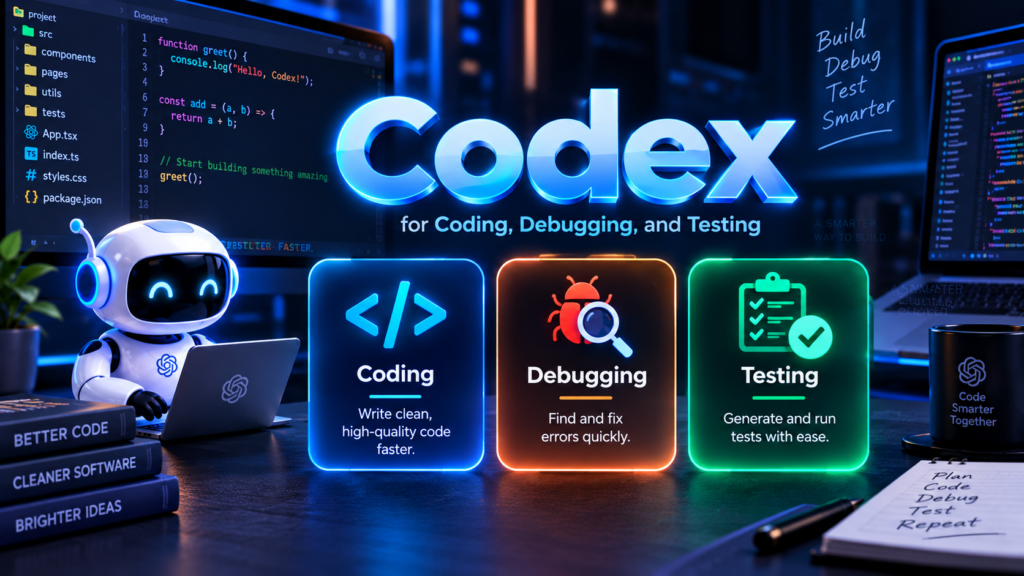
Codex for Coding, Debugging, and Testing
One of the most practical uses of Codex is everyday programming. Developers can ask it to create a function, explain an error, improve an existing implementation, or write tests. It can also help investigate problems that involve several files. For beginners, this can make difficult programming concepts easier to explore because they can ask questions while working directly with their project. Experienced developers can use the same workflow for repetitive tasks, codebase exploration, and routine maintenance. This makes Codex useful across different experience levels.
Consider a simple example. A developer has a Python application with a failing test after a recent update. Instead of manually searching through every related file, they can give Codex the task and relevant context. Codex may inspect the implementation, identify a likely cause, modify the code, and run tests where the environment permits. The developer can then review the changes and decide whether they should be accepted. This creates a practical cycle of inspect → change → test → review rather than blindly accepting generated code. Such a workflow can make AI-assisted development more controlled and understandable.
Codex for Larger Software Projects
Codex can also support larger software projects where tasks involve multiple connected steps. These tasks may include feature development, complex refactoring, migrations, testing, maintenance, and pull request preparation. Larger projects often contain many files and dependencies, so understanding the surrounding code is just as important as writing new code. An agent that can work through several related steps can therefore be useful for these situations. Still, developers should define the task carefully and establish clear boundaries before allowing an agent to modify important parts of a project.
For larger projects, good instructions become especially important. A useful request should explain the goal, relevant constraints, expected behavior, and testing requirements. For example, instead of saying “improve this application,” a developer could ask Codex to “refactor the authentication module, preserve the existing API, add tests for expired sessions, and report any remaining failures.” Clear requirements help the agent understand what success means. They also make the resulting work easier to review. Breaking complicated projects into smaller tasks can further reduce confusion and make testing more manageable.
Codex vs Traditional AI Code Generators
Traditional AI code generators often focus on producing a piece of code from a prompt. Codex can work at a broader agent level by interacting with a project and completing multiple development steps. This distinction matters because real software work rarely involves writing one isolated function. Developers often need to inspect files, understand dependencies, modify several components, run tests, and review the final changes. Codex is designed around this wider workflow, which can make it useful for tasks that require more context and several connected actions.
| Development Task | Basic Code Generator | Codex |
|---|---|---|
| Generate code | Yes | Yes |
| Explain code | Yes | Yes |
| Review changes | Limited | Yes |
| Work across files | Varies | Yes |
| Run development tasks | Limited | Supported environments |
| Debug projects | Yes | Yes |
| Handle multi-step work | Limited | Designed for it |
| Cloud agent workflows | Usually limited | Yes |
This does not mean Codex should replace developers. Software still requires decisions about architecture, security, requirements, and business logic. AI agents can accelerate implementation, but developers remain responsible for checking whether the result actually solves the intended problem. Human review is particularly important for authentication, payments, databases, privacy-sensitive applications, and production infrastructure. Developers should also use version control and automated testing so that changes can be inspected and reversed when necessary.
A Simple Codex Workflow for Beginners
Beginners can start with small, clearly defined tasks instead of immediately giving an AI agent control over a large project. First, explain the project and the specific problem. Next, tell Codex what result you expect. If tests already exist, ask it to run the relevant tests after making changes. Finally, review the modifications before accepting them. This approach helps beginners understand both the benefits and limitations of AI-assisted programming. It also provides a safer way to learn how coding agents interact with real projects.
A simple workflow looks like this:
- Explain the task clearly.
- Give Codex the necessary project context.
- Ask it to inspect before changing important code.
- Request tests for the proposed solution.
- Review the generated changes.
- Run your normal development checks.
- Deploy only after appropriate verification.
This process keeps the developer involved at every important stage. It also reduces the risk of accepting an incorrect change simply because the generated code looks convincing. Beginners can gradually increase task complexity as they become more comfortable reviewing AI-generated changes.
Codex Security and Responsible Use
Security should remain a priority when using any AI coding agent. Codex may work with source code, project files, commands, and development tools, depending on its environment and permissions. That makes access control important. Developers should understand what the agent can access before giving it sensitive repositories or production-related permissions. Limiting unnecessary access can reduce potential risks. Developers should also avoid exposing passwords, private keys, access tokens, or other sensitive information unnecessarily during an AI-assisted workflow.
Developers should also review generated code for common risks. These include insecure authentication logic, exposed credentials, unsafe input handling, incorrect permissions, vulnerable dependencies, and unexpected data access. Testing should cover both normal behavior and failure cases. For sensitive applications, automated security checks and human review should remain part of the development process. Codex can help identify and fix security problems, but its suggestions should still be validated before production use. The safest approach is to treat AI-generated code as a proposed solution that requires appropriate testing and review.
Codex Pricing and Availability
Codex is available through ChatGPT and related developer workflows, with access and usage depending on the selected plan and environment. Usage limits can differ between plans, so users should check their current account information before planning a large development workflow. Availability can also change as products and services are updated. For everyday coding tasks, developers can begin with the access available through their existing setup and determine whether it meets their needs.
For developers building their own applications, there are also developer-focused options for creating agent-based coding workflows. These can provide more control over sessions, tools, orchestration, and sandbox environments. This is different from simply using Codex through a normal ChatGPT conversation. Developers should consider factors such as project size, automation requirements, security, access permissions, and expected usage before choosing a particular workflow. Understanding these differences can help teams use AI coding tools more efficiently without adding unnecessary complexity.
Codex: Quick Comparison Chart
The following chart summarizes how Codex fits into a modern development workflow:
             CODING TASK
                  │
                  ▼
          ┌─────────────┐
          │    Codex    │
          │   AI Agent  │
          └──────┬──────┘
                 │
        ┌────────┼────────┐
        ▼        ▼        ▼
     Inspect    Code     Debug
        │        │        │
        └────────┼────────┘
                 ▼
              Testing
                 │
                 ▼
           Human Review
                 │
                 ▼
           Final Changes
The important difference is the workflow around the code. Codex is intended to help move from a development request toward a tested and reviewable result. Developers can still use ordinary coding practices alongside it, including version control, automated tests, code review, and security scanning. For readers learning AI-assisted development, related guides about AI coding tools, ChatGPT for developers, and AI programming assistants can provide useful background and help explain where coding agents fit into modern development.
Frequently Asked Questions About Codex
What is Codex used for?
Codex is used for software development tasks such as writing, reviewing, debugging, testing, and modifying code. It can also help developers understand unfamiliar repositories and handle multi-step engineering work.
Is Codex free to use?
Codex access depends on the ChatGPT plan and development environment. Available features and usage limits can vary, so users should check their current plan details before starting larger coding projects.
Can Codex fix bugs?
Yes. Codex can investigate coding problems, identify possible causes, make changes, and help run tests in supported environments. Developers should still review and verify every important fix.
Can beginners use Codex?
Yes. Beginners can use Codex to explain code, create examples, investigate errors, and learn programming concepts. Starting with small tasks makes generated changes easier to understand and review.
Is Codex a replacement for developers?
No. Codex is designed to assist software development. Developers still need to define requirements, review changes, test applications, make architectural decisions, and check security before production use.
Conclusion
Codex is an AI coding agent built to support modern software development. It can help with coding, debugging, testing, reviews, refactoring, and larger engineering workflows. Its key difference from simple code generators is its ability to work through connected development tasks using project context and available tools. Codex can fit into different development workflows, including editors, terminals, ChatGPT, and cloud environments. For beginners, the best approach is to start with small tasks and review every important change. For experienced developers, Codex can reduce repetitive work while keeping human oversight at the center of software development. Used carefully, it can become a practical part of a modern coding workflow.






























1 comment on “Codex: What It Is, How It Works, and What You Can Do With It”