


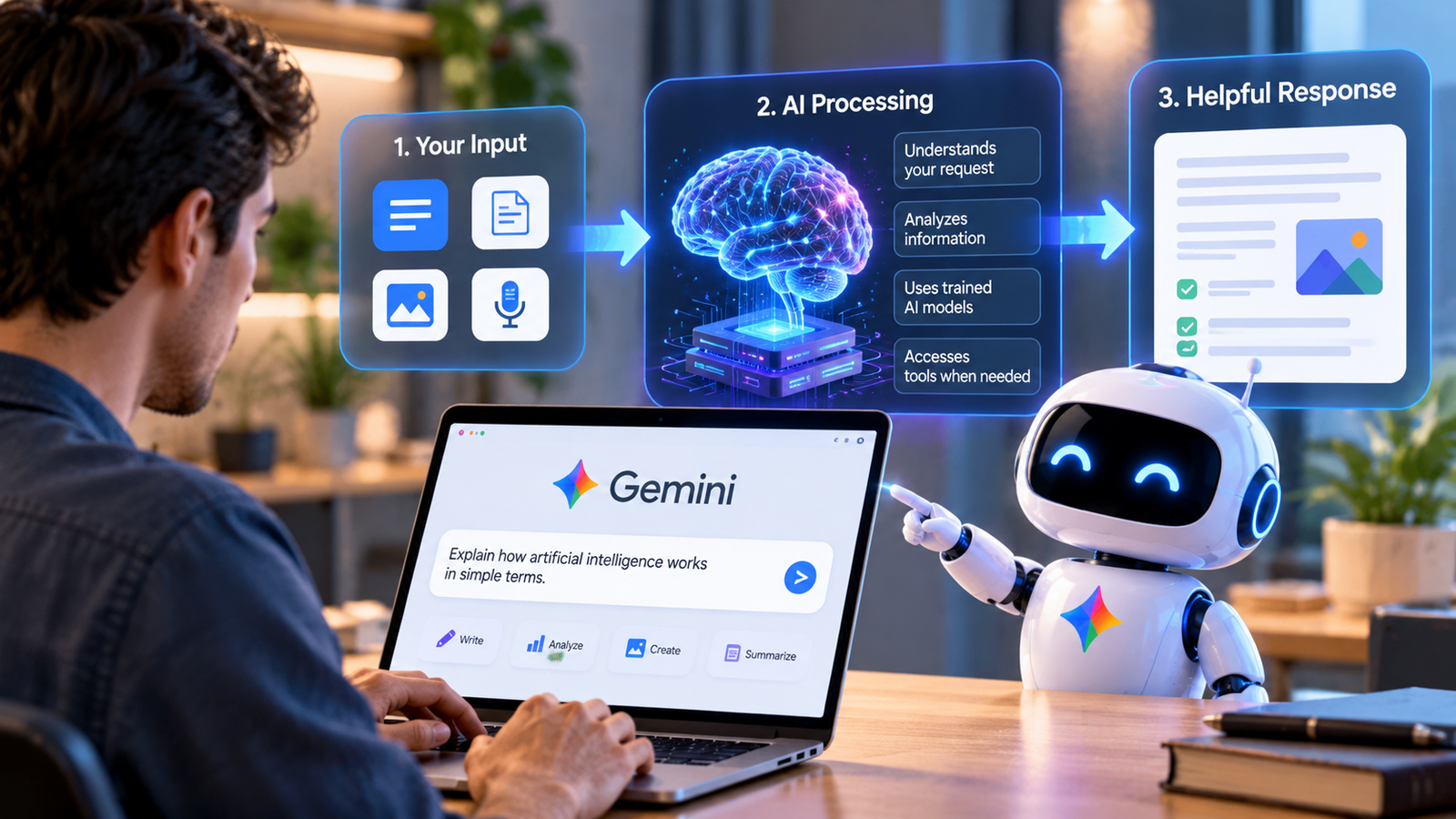
Google’s artificial intelligence assistant is called Google Gemini. It is Google’s main generative AI platform, designed to answer questions, write content, summarize information, understand images, assist with coding, and help users complete everyday tasks. If you remember Google’s AI chatbot Bard, Gemini is its successor. Google officially changed Bard’s name to Gemini in February 2024.
However, Gemini is more than just a chatbot. The name also refers to a family of AI models developed by Google DeepMind. These models power different Google AI experiences and can handle several types of information, including text, images, audio, and video. Whether you are a student, business owner, developer, or casual user, understanding what Google’s AI is called helps you identify the right tool and understand what it can actually do.
This guide explains how Gemini works, its features, practical applications, limitations, and differences from other popular AI assistants.
What Is Google’s AI Called?
Google’s AI assistant is called Gemini. It was previously known as Bard, but Google introduced the Gemini name to bring its chatbot experience and advanced AI models under one identity.
The name Gemini represents Google’s broader approach to artificial intelligence. Instead of offering only a chatbot that responds to written questions, Google has developed models that can understand and work with different types of information.
There are two important meanings behind the name:
- Gemini AI assistant: The website and mobile application people use to interact with Google’s AI.
- Gemini AI models: The underlying artificial intelligence systems that generate responses and perform different tasks.
This distinction matters because the chatbot is the interface, while the models provide much of the intelligence behind its responses.
For example, when someone asks Gemini to explain a complicated science topic, the application sends the request to an available AI model, which processes the information and generates an answer.
Why Did Google Rename Bard to Gemini?
Google originally introduced its conversational AI chatbot as Bard in March 2023. It was designed to help people explore ideas, find information, write content, and interact with artificial intelligence through natural language.
As Google’s AI technology developed, the company introduced the Gemini family of models. Google then decided to use Gemini as the name for its consumer AI experience.
On February 8, 2024, Google officially announced that Bard was becoming Gemini.
The change was more than a simple branding update. Google wanted the chatbot’s name to reflect the AI models powering it and its expanding range of capabilities.
The transition also introduced Gemini Advanced, which initially provided access to Google’s more capable Ultra 1.0 model through a paid experience.
Today, Bard is an older name associated with the same product history. When people search for Google Bard, they are generally looking for Gemini.
3. How Does Google Gemini Work?
Gemini works through a type of artificial intelligence called a Large Language Model (LLM). These models are trained on large collections of information and learn patterns that help them understand language and generate relevant responses.
When you enter a question, Gemini processes your instructions and uses its underlying model to produce an answer.
The basic process involves several stages:
- Understanding the request: Gemini analyzes the words, instructions, and available context in your prompt.
- Processing information: Its underlying model identifies patterns and relationships relevant to the request.
- Generating a response: The model predicts and produces a suitable sequence of words or other output.
- Presenting the result: Gemini displays the generated response in a conversational format.
For example, imagine a student asks Gemini to explain how photosynthesis works.
Rather than simply returning a technical definition, the student can request an explanation suitable for a beginner, ask for examples, or request a short revision summary.
Gemini can adjust its response according to the instructions and conversation context.
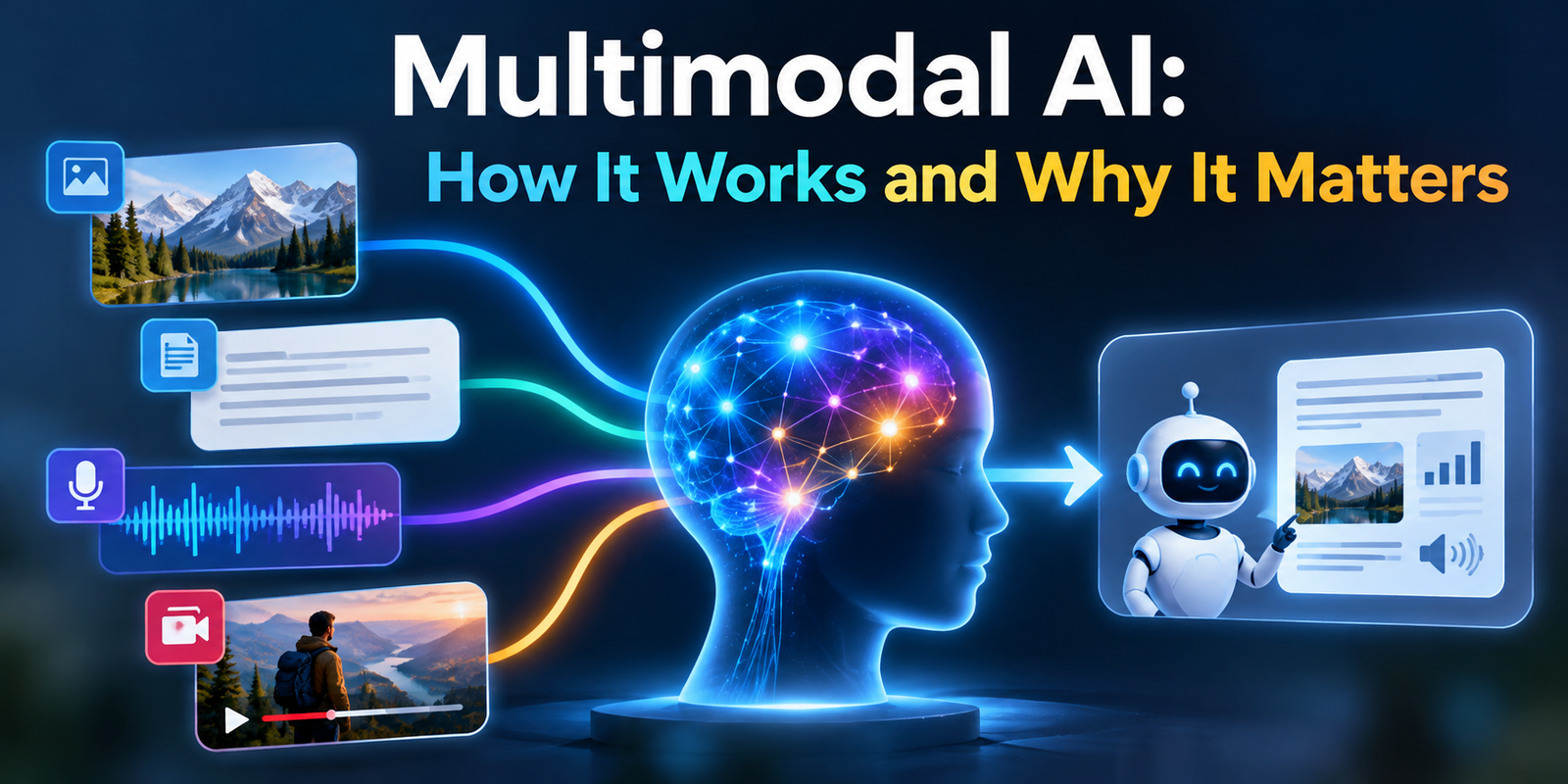
What Makes Gemini a Multimodal AI?
One important characteristic of Gemini is its multimodal design.
Multimodal AI can work with different types of information rather than relying exclusively on written text.
Depending on the model and available features, Gemini can process:
- Text and written instructions
- Images and visual information
- Audio and speech
- Video content
- Programming code
For example, a user might upload a photograph of a plant and ask Gemini to identify visible characteristics or explain how to care for it.
This ability makes Gemini useful for tasks that require more than ordinary text-based conversations.
However, its ability to interpret an image or audio recording does not mean every answer will be correct. Users should verify important information independently.
Main Features of Google Gemini
Google Gemini includes several capabilities that make it useful for personal, educational, and professional tasks. The exact features available depend on the model, account, subscription, device, and region.
Here are some of its most useful capabilities.
Text Generation and Writing Assistance
Gemini can generate written content based on user instructions. It can help with:
- Writing emails and professional messages
- Creating blog post outlines
- Rewriting paragraphs in simpler language
- Summarizing long documents
- Generating social media captions
- Correcting grammar and improving readability
For example, a website owner can ask Gemini to create an outline for an article about digital marketing. They can then request a more detailed explanation of individual sections.
The quality of the result depends on the instructions provided and how carefully the output is reviewed.
Image Understanding and Generation
Gemini supports image-related tasks through Google’s image-generation and image-understanding technologies.
Users can provide an image and ask questions about its contents. Depending on the available model and interface, they can also generate or edit images through natural-language instructions.
For instance, a small business owner might upload a product photograph and ask for suggestions to improve its presentation.
Google also develops specialized image-generation models, including Imagen and its newer Nano Banana image technology. These are related to Google’s wider generative AI ecosystem rather than simply being different names for the Gemini chatbot.
Coding and Programming Assistance
Gemini can help developers understand and work with programming languages.
Common uses include:
- Generating sample code
- Explaining programming concepts
- Finding possible errors in code
- Suggesting improvements
- Creating basic website structures
- Helping understand unfamiliar code
A beginner learning JavaScript, for example, can paste a short function into Gemini and ask for an explanation of what each line does.
However, generated code should always be tested. An answer that looks technically correct may still contain errors or security problems.
Research and Information Summarization
Gemini can help users organize information and understand complicated subjects.
A researcher might provide a lengthy document and request a summary of its main arguments. A student might ask it to explain a scientific concept using simple examples.
Depending on the available tools and features, Gemini can also help investigate topics using information from the web.
One important distinction is that generating a convincing explanation is not the same as verifying a fact. Important claims should be checked against reliable sources.
Voice Conversations
Gemini also supports voice-based interaction through features such as Gemini Live.
Instead of typing every question, users can have a spoken conversation with the assistant where supported.
This can be helpful when someone wants to practice a language, discuss an idea, or ask questions while performing another activity.
The available voice capabilities depend on device and account support.
Different Types of Google Gemini Models
Google does not rely on a single AI model for every task. It develops different versions designed to balance speed, reasoning ability, efficiency, and specialized capabilities.
The available model names and access options change over time.
Google’s model documentation lists several model categories, including the following:
| Model | Main purpose |
|---|---|
| Gemini Flash-Lite | Fast responses and lightweight tasks |
| Gemini Flash | Speed and general-purpose performance |
| Gemini Pro | Complex reasoning, coding, and problem-solving |
These descriptions reflect Google’s general model positioning. Availability depends on the user’s account and plan.
What Is the Difference Between Flash and Pro?
Flash models are generally designed to provide responsive performance across everyday tasks. They are useful when users need quick answers without unnecessary processing.
Pro models focus more on demanding tasks that require deeper reasoning, detailed analysis, or sophisticated coding.
For example:
- A simple question about grammar may not require an advanced reasoning model.
- Analyzing a complicated programming problem may benefit from a more capable model.
- Summarizing a short message is different from evaluating a lengthy technical report.
Google also provides automatic model selection in Gemini Apps. When enabled, the application can select a suitable model based on the request and available usage.
What Is the Difference Between Gemini and Other Google AI Tools?
One common misunderstanding is that every Google AI product is called Gemini.
Gemini is an important part of Google’s AI ecosystem, but Google develops other specialized models and tools for different purposes.
Here are some relevant examples:
| Google AI product | What it does |
|---|---|
| Gemini | General-purpose AI assistant and model family |
| Gemma | Open models for developers and AI applications |
| Imagen | AI image generation |
| Veo | AI video generation |
| Lyria | AI music and audio generation |
| Google AI Studio | Environment for experimenting with and building applications using Google’s AI models |
These tools serve different purposes. For example, a developer may use Google AI Studio to experiment with Gemini models, while a content creator may use Veo for video generation.
How Can People Use Google Gemini in Real Life?
Gemini is useful because it can support different types of work. Its practical value depends on the task, the quality of the instructions, and the user’s ability to review the output.
Here are some realistic examples.
Students and Education
Students can use Gemini as a learning assistant.
They can ask it to:
- Explain difficult academic topics
- Summarize study material
- Create practice questions
- Explain mathematical concepts
- Help organize revision schedules
- Translate and simplify written material
For example, a student struggling with basic economics could ask Gemini to explain inflation using an everyday shopping example.
The student should still consult textbooks and educational sources when accuracy is important.
Businesses and Customer Support
Businesses can use Gemini-powered systems to support customer service and internal operations.
For example, a company could develop an AI-based support system that helps customers find answers to common questions.
With appropriate software integrations and human oversight, such systems may assist with:
- Sorting customer enquiries
- Drafting responses
- Summarizing customer conversations
- Organizing business information
- Supporting internal knowledge searches
However, a standard Gemini chat does not automatically become a fully integrated customer support system. Connecting it to company databases, websites, and business applications requires additional development or supported integrations.
Bloggers and Digital Marketers
Content creators can use Gemini to support their content workflows.
For example, a blogger could request:
- An outline for an article about artificial intelligence.
- Explanations of important technical concepts.
- Suggestions for relevant subheadings.
- A list of questions readers may ask.
- Improvements to an existing draft.
Digital marketers can also use it to brainstorm campaign ideas, organize content plans, and draft social media posts.
However, publishing AI-generated content without checking facts, originality, and usefulness can create quality problems. Human editing remains important.
Software Developers
Developers can use Gemini to explore programming concepts, generate code examples, and investigate technical problems.
It can also help explain unfamiliar programming libraries or suggest ways to improve an existing implementation.
For larger development projects, developers can access Gemini models through Google’s developer tools and APIs rather than relying only on the consumer chatbot.
Everyday Users
Gemini is not limited to technical professionals.
Someone can use it to plan a weekly schedule, draft a birthday message, understand a complicated topic, or prepare questions for a job interview.
Its conversational interface makes it accessible to people who have little experience with artificial intelligence.
Is Google Gemini Free to Use?
Google offers access to Gemini without requiring every user to purchase a paid subscription. However, free access does not necessarily include every model or advanced feature.
Google also offers paid Google AI plans that provide access to additional capabilities and higher usage limits, depending on the subscription.
The main differences can include:
- Access to more advanced AI models
- Higher usage limits
- Additional AI features
- Expanded capabilities for demanding tasks
The exact plans, prices, and included features can change. They may also vary by country and account type.
For this reason, users should check Google’s official Gemini subscription information before purchasing a plan.
It is also worth understanding that paying for Gemini does not guarantee unlimited access to every model or feature. Usage restrictions may still apply.
How to Access and Start Using Google Gemini
Getting started with Gemini is relatively straightforward. Users can access it through Google’s web experience or supported mobile applications.
Follow these basic steps:
- Open the Gemini website by searching for Google Gemini.
- Sign in with your Google Account if required.
- Open a new conversation.
- Enter a question or instruction in the message box.
- Review the generated response.
- Ask follow-up questions if you need more detail.
You can also access Gemini through supported mobile applications.
How to Get Better Answers from Gemini
The way you write your instructions can significantly affect the quality of the response.
Instead of asking a broad question such as:
“Tell me about marketing.”
Try a more specific instruction:
“Explain digital marketing to a beginner. Cover SEO, social media marketing, email marketing, and paid advertising. Include one practical example for each.”
A useful prompt generally includes:
- Task: What do you want Gemini to do?
- Context: What background information should it understand?
- Format: Should the answer be a list, table, article, or explanation?
- Audience: Who will read or use the result?
- Limitations: What should it avoid or prioritize?
Clear instructions help the model understand your expectations and produce more relevant results.
Google Gemini vs. ChatGPT: What Is the Difference?
Google Gemini and ChatGPT are two major AI assistant platforms. Both can answer questions, generate content, explain technical concepts, and assist with everyday tasks.
However, they have different ecosystems, model families, and product integrations.
| Comparison | Google Gemini | ChatGPT |
|---|---|---|
| Developer | OpenAI | |
| AI models | Gemini family | GPT family |
| Main assistant | Gemini app | ChatGPT |
| Writing assistance | Yes | Yes |
| Coding support | Yes | Yes |
| Image understanding | Yes | Yes |
| Voice interaction | Yes | Yes |
| Developer access | Gemini API | OpenAI API |
| Ecosystem | Google products and services | OpenAI products and integrations |
Neither platform is automatically better for every task.
Gemini may be particularly convenient for people who regularly use Google’s ecosystem. ChatGPT offers its own range of models, tools, and integrations.
The best choice depends on the type of work, available features, personal preferences, and budget.
Limitations and Risks of Google Gemini
Although Gemini is a powerful AI assistant, it has limitations that users should understand before relying on it for important work.
AI Hallucinations
An AI hallucination occurs when a model generates information that sounds convincing but is incorrect or unsupported.
For example, Gemini might provide an inaccurate historical date, misunderstand a technical question, or produce a reference that does not support its explanation.
This is why users should verify important information instead of treating every generated response as a confirmed fact.
Privacy and Data Protection
Users should think carefully before sharing sensitive information with an AI assistant.
Avoid entering:
- Passwords and login credentials
- Private financial information
- Confidential business documents
- Personal identification details
- Sensitive customer information
Google provides privacy controls and information about how Gemini Apps handle user data. However, users should review the applicable privacy settings and policies before uploading personal or business material.
Incorrect or Incomplete Responses
Gemini may misunderstand complicated instructions or overlook important details.
For example, a business owner asking for a financial analysis should not rely entirely on an AI-generated calculation without checking the original figures.
The same principle applies to medical, legal, financial, and technical information.
Bias and Lack of Context
AI models learn patterns from training information. As a result, their responses can sometimes reflect biases or provide incomplete perspectives.
The best approach is to treat Gemini as an assistant that supports human decision-making rather than a replacement for professional judgment.
What Is the Future of Google’s AI?
Google continues to develop its AI technology through Google DeepMind, research teams, and product development.
Its broader AI ecosystem includes language models, image-generation systems, audio technologies, video models, and robotics research.
Several important areas are shaping its development:
- Multimodal AI: Models that can understand and work with different information types.
- AI agents: Systems designed to perform multi-step tasks using tools and available information.
- Advanced reasoning: Models that can handle more complicated instructions and problem-solving tasks.
- Creative AI: Technologies for generating images, videos, music, and other digital content.
- Developer tools: Models and APIs that allow businesses to build AI-powered applications.
However, future capabilities should not be confused with features that are already available to every Gemini user. Availability and performance will continue to depend on individual products and models.
Frequently Asked Questions (FAQs)
1. What is Google’s AI called?
Google’s main AI assistant is called Gemini. It was previously known as Bard before Google officially changed its name in February 2024.
2. Is Google Gemini the same as Bard?
Yes. Gemini replaced Bard as Google’s consumer AI chatbot name. The name now also identifies Google’s broader family of AI models.
3. Is Google Gemini free?
Yes, Google offers free access to Gemini. However, advanced models, additional features, and higher usage limits may require a paid Google AI plan.
4. Who developed Google Gemini?
Google DeepMind developed the Gemini family of AI models. Google makes the Gemini assistant available through its web and mobile experiences.
5. Can Google Gemini generate images?
Yes. Gemini supports image-generation capabilities through supported models and features. Google’s wider image-generation ecosystem also includes Imagen and Nano Banana.
6. Is Google Gemini better than ChatGPT?
It depends on the task. Both offer writing, research assistance, coding, and multimodal capabilities. Users should compare their available features and performance for their particular needs.
7. What is the difference between Google AI and Gemini?
Google AI refers to Google’s broader artificial intelligence technologies, research, and products. Gemini is one of its main AI assistant and model families.
Conclusion
Google’s AI is called Gemini, and it has become an important part of Google’s artificial intelligence ecosystem. It is more than a chatbot because the name also represents a family of models capable of handling different types of information, including text, images, audio, and video.
For everyday users, Gemini can help with writing, learning, research, coding, and creative tasks. Businesses and developers can also use its models to build more advanced AI-powered applications.
However, it is important to understand that Gemini can produce inaccurate information, and its capabilities vary depending on the model and available features. Users should verify important answers and protect sensitive information.
Ultimately, Gemini is a useful AI assistant, especially for people who already work with Google’s products. Understanding its capabilities and limitations will help users get more value from it.


1 comment on “What Is Google’s AI Called? Everything About Gemini”