


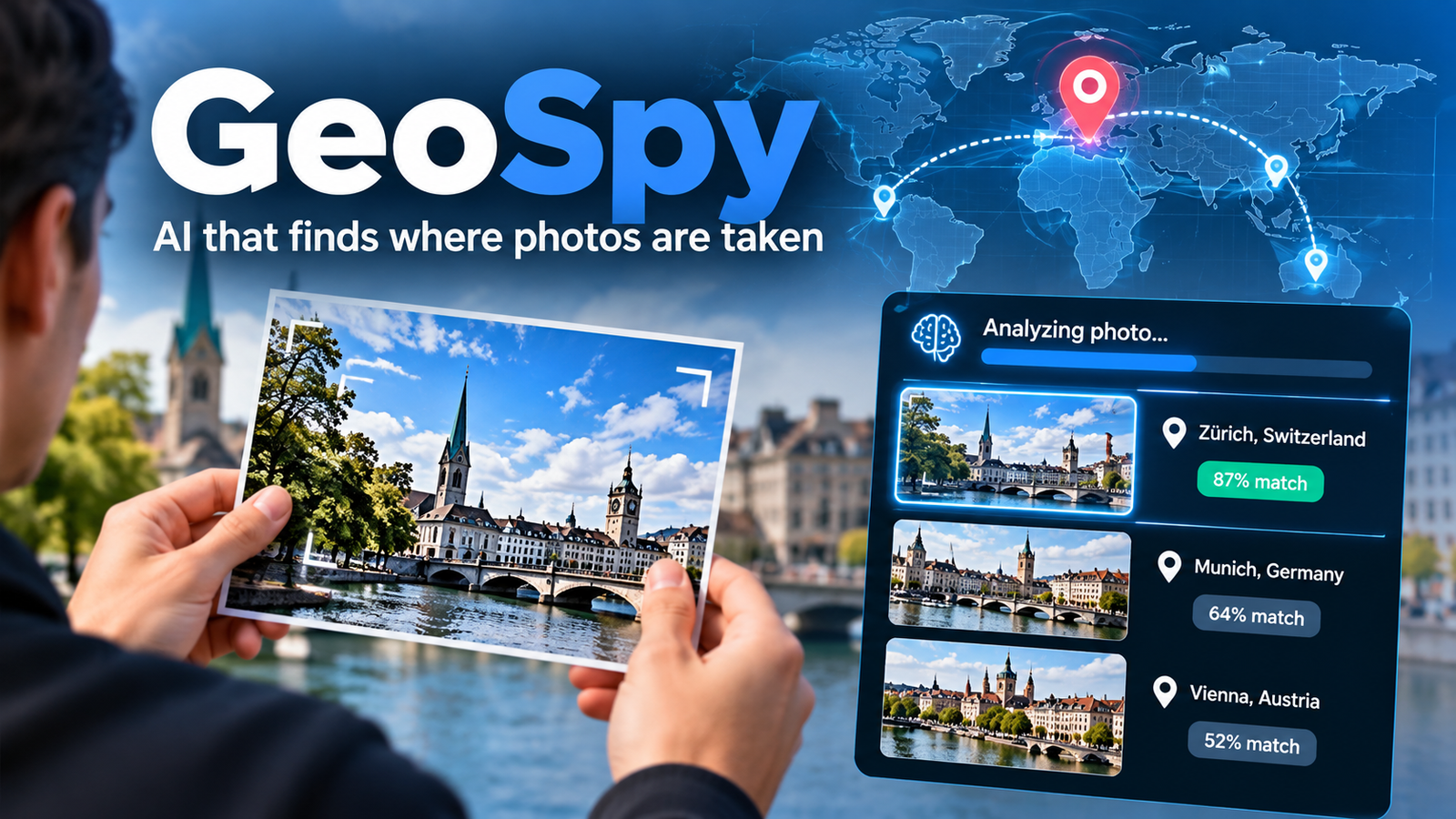
GeoSpy is an artificial intelligence technology designed to estimate where a photograph was taken by analyzing visual details in the image. Unlike traditional geolocation methods that depend on GPS coordinates or embedded photo metadata, GeoSpy can use clues such as architecture, road layouts, vegetation, terrain, and regional building styles to identify possible locations.
The technology became known for its ability to investigate photographs that contain little or no location information. It attracted attention from open-source intelligence (OSINT) researchers, technology enthusiasts, and security professionals interested in discovering geographical clues hidden in ordinary images. However, GeoSpy has also raised important questions about privacy, accuracy, and the responsible use of AI-powered location analysis.
An important development occurred in April 2026, when Graylark Technologies transitioned GeoSpy into a broader visual intelligence platform called Raven. The original image-geolocation capabilities remain part of that platform, alongside additional investigative tools. This guide explains how GeoSpy works, what it can and cannot do, who may benefit from the technology, and why its predictions should always be treated carefully.
What Is GeoSpy AI?
GeoSpy is an AI-powered image geolocation system originally developed by Graylark Technologies. Its purpose is to estimate the geographical location where an image was captured by examining the visual information within the photograph.
The key idea is simple: a photograph can contain geographical clues even when its GPS data is missing.
For example, a street photograph might reveal a particular architectural style, road markings, types of trees, electrical infrastructure, and signs written in a local language. Individually, these clues may be inconclusive. Together, they can help an AI system narrow down the possible location.
GeoSpy was designed to make this type of analysis faster and more systematic than relying entirely on manual investigation.
GeoSpy and Raven: What Is the Difference?
An important distinction is necessary for anyone researching the original tool.
In April 2026, Graylark renamed GeoSpy as Raven and expanded it into a broader visual intelligence platform. The original image-geolocation capabilities continue within Raven, which is designed primarily for qualified law enforcement, government, public-safety, intelligence, and enterprise organizations.
The platform’s capabilities now include:
- Image geolocation: Estimating the region where a photograph was captured.
- Street-level analysis: Narrowing a search area to potential streets or properties when the image and available coverage support it.
- Vehicle identification: Analyzing visual details to suggest a vehicle’s make, model, generation, and year.
- Image verification: Assessing images for potential manipulation or signs of AI generation. This capability is described by the company as being in beta.
These features belong to the current Raven platform. They should not automatically be attributed to every independent website that uses the name GeoSpy. Graylark explicitly states that third-party services using the GeoSpy name are not necessarily affiliated with the company.
How Does GeoSpy Work?
GeoSpy uses visual information to estimate a photograph’s location. Unlike a basic GPS lookup, it does not need the image file to contain usable geographical coordinates.
The exact internal architecture of the original system is not fully disclosed publicly, so it would be misleading to claim that it uses a particular neural network architecture or a specific training dataset without supporting evidence.
However, the general process behind AI image geolocation can be explained through established computer vision concepts.
1. The AI Examines the Image
The process begins with the photograph itself.
A computer vision system can analyze visual patterns such as:
- Building shapes and architectural details.
- Road surfaces, lane markings, and street layouts.
- Vegetation, terrain, and natural features.
- Signs, lettering, and other visible text.
- Utility poles, streetlights, and infrastructure.
- Mountains, coastlines, skylines, and other geographical features.
These details help describe the environment shown in the image.
A photograph of a modern office building, for example, may reveal very little about its location. A photograph showing the same building alongside distinctive road signs, regional architecture, and a recognizable mountain range may provide considerably more information.
2. The System Connects Visual Clues to Geographic Patterns
The next step is interpreting the scene geographically.
Machine learning models can learn relationships between visual patterns and geographical locations from training data. Depending on the system, this may involve recognizing objects, comparing visual representations, interpreting text, or estimating which locations best match the scene.
This process is different from simply recognizing a famous landmark.
A location model may consider several subtle clues together, including the appearance of buildings, the surrounding landscape, and the design of local infrastructure.
For example, imagine a photograph showing a narrow road, traditional buildings, tropical vegetation, and a particular style of road signage. The system may rank locations where those features are more likely to occur.
That result is an estimate, not proof that the photograph was taken in the suggested place.
3. The System Produces Possible Locations
Rather than assuming that every photograph has one obvious answer, a geolocation system can produce multiple candidate locations.
Graylark describes Raven’s regional search as returning ranked candidates for human review. Its street-level capability can further narrow the search area when conditions allow.
A ranked list is useful because several places may share similar visual characteristics.
However, ranking must be interpreted correctly. A location appearing first does not necessarily mean that it has a 90% or 99% probability of being correct. In Raven’s documented workflow, candidate similarity scores are used to order results and are not presented as calibrated probabilities.
4. A Person Checks the Results
The final step is verification.
An investigator or researcher can compare the suggested locations against the original photograph and examine whether the visible details actually match.
Useful checks include:
- Comparing the shape of buildings and nearby landmarks.
- Checking road markings and street layouts.
- Looking for matching signs or distinctive infrastructure.
- Examining whether the terrain and surrounding environment are consistent.
- Comparing other photographs or independent records, where available.
This human review is essential. An AI system can generate a convincing but incorrect result, especially when the image contains common visual patterns.
What Information Can GeoSpy Extract From a Photograph?
GeoSpy’s central purpose is geographical estimation, but the usefulness of an image depends on the information visible within it.
The following table explains how different visual clues can help.
| Visual clue | Why it matters | Possible limitation |
|---|---|---|
| Architecture | Building styles can help distinguish regions and cities. | Similar designs appear in many countries. |
| Road markings | Road layouts and traffic markings may indicate a particular region. | Standards can overlap between locations. |
| Signs and language | Written text may reveal a language, region, or place name. | Signs may be obscured, outdated, or misleading. |
| Vegetation | Plant types and landscape patterns can suggest a climate or region. | Similar vegetation grows in different countries. |
| Mountains and coastlines | Distinctive geographical features may narrow the search significantly. | The image may show too little surrounding context. |
| Utility infrastructure | Pole designs, cables, and street furniture can provide regional clues. | Infrastructure is not always geographically unique. |
| Building and road combinations | Multiple details can provide stronger evidence than one feature alone. | The scene may have changed since the photograph was taken. |
The most useful information often comes from combining several clues rather than depending on one recognizable object.
Does GeoSpy Need GPS or EXIF Metadata?
No. The original GeoSpy system was designed to estimate locations using visual content without requiring GPS coordinates or EXIF metadata.
EXIF stands for Exchangeable Image File Format. It stores information about an image, which may include the camera model, capture time, and GPS coordinates when those details have been recorded.
There are three important differences between common location methods:
- GPS and EXIF analysis: Reads location information embedded in the image file when it is available and reliable.
- Reverse image search: Looks for matching or similar images that have already appeared online.
- AI image geolocation: Estimates the location by interpreting the visual scene itself.
These methods can complement each other, but they answer different questions.
For instance, a screenshot downloaded from social media may have no useful GPS metadata. Reverse image search may also fail if the photograph has never appeared publicly. AI geolocation offers another way to investigate the scene.
Nevertheless, the absence of metadata does not guarantee that an image can be located.
Practical Uses of GeoSpy AI
AI image geolocation has applications in investigation, research, and image verification. Its value depends on whether the location estimate can be independently checked.
The following examples illustrate possible workflows rather than claiming documented results from particular users.
Law Enforcement and Public Safety
Investigators may encounter photographs or video frames with limited information about where they were captured.
An image-geolocation system can help narrow the geographical search area and identify places that deserve further examination.
For example, a photograph recovered during an investigation might show an unfamiliar building and a section of road. A regional estimate could help investigators focus their next checks.
However, the output should remain an investigative lead. A location prediction alone does not establish that a person was present at a particular place or committed an offence.
Open-Source Intelligence Research
Open-source intelligence, commonly called OSINT, involves gathering and analyzing information from publicly available sources.
Researchers may use image geolocation to examine publicly posted photographs, news images, or video frames.
Consider a hypothetical photograph shared online with a claim that it shows an event in a particular city. A researcher could compare its visual features with the claimed location to determine whether the claim is plausible.
If the scene does not match, that discrepancy may justify further investigation. It does not automatically prove that the entire claim is false.
Missing-Person Investigations
A photograph shared during a missing-person investigation may provide geographical clues even when its original metadata is unavailable.
An AI-generated location estimate could suggest a region for further examination. Investigators would still need to establish whether the image is recent, whether the scene has changed, and whether other evidence supports the proposed location.
Because these cases can involve vulnerable people, image analysis should be conducted by authorized individuals with appropriate safeguards.
Journalism and Fact-Checking
Journalists and fact-checkers sometimes need to establish where a photograph or video was captured.
A geolocation model can help generate possible locations, especially when the image contains recognizable buildings, terrain, or street features.
For example, a news photograph presented as showing flooding in one country might contain road markings and distinctive buildings associated with another region. A geolocation estimate could provide a starting point for checking the caption.
The final conclusion should rely on corroborating evidence, not on the AI result alone.
Enterprise Security and Research
Organizations may use image intelligence to investigate visual material connected with security incidents or other authorized research.
The benefit is not simply finding a location. It is reducing the number of possibilities a person needs to examine manually.
However, businesses should evaluate whether a system’s accuracy, data handling, access controls, and legal basis are appropriate for their intended use.
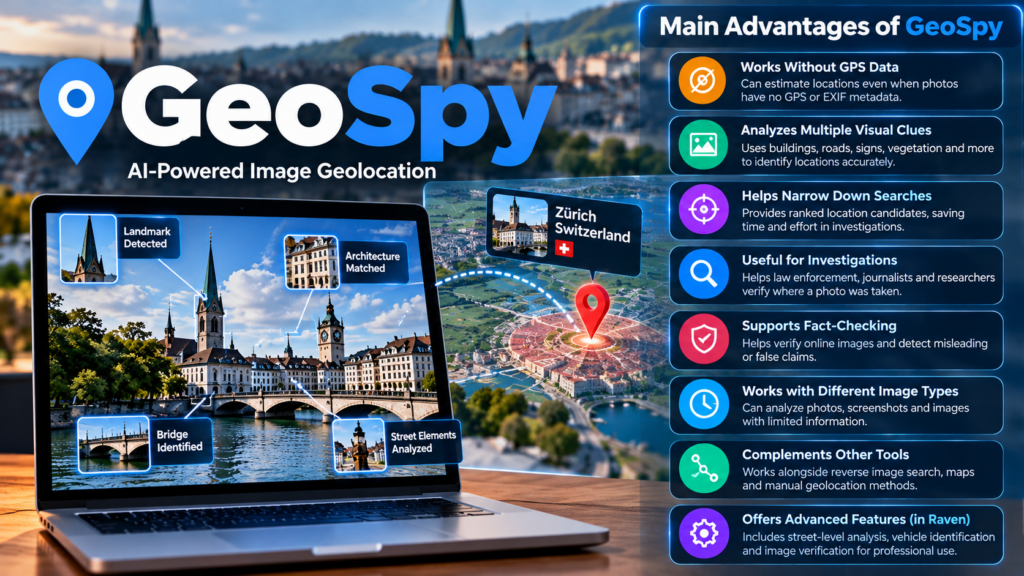
Main Advantages of GeoSpy
GeoSpy introduced an approach to image analysis that can be useful when conventional location information is unavailable. Its strengths are most apparent when a photograph contains enough geographical detail to support a meaningful estimate.
1. It Can Work Without Location Metadata
Traditional geolocation often depends on coordinates stored in a photograph. These coordinates may be missing from screenshots, downloaded images, or files that have been processed by social media platforms.
Visual geolocation offers another approach by examining the scene itself.
This is particularly useful for investigating photographs that have lost their original metadata, although it does not guarantee that a location can be recovered.
2. It Can Analyze Multiple Clues Together
People often focus on a single recognizable landmark when trying to identify a location. AI image analysis can help evaluate combinations of visual details.
For example, architecture alone may suggest several possible cities. When combined with road markings, vegetation, and other environmental clues, the available evidence may support a narrower search.
The strength of this approach depends on the model’s capabilities and the information present in the photograph.
3. It Can Help Narrow a Search
Searching manually through numerous possible locations can take considerable time.
AI-assisted geolocation can generate candidate locations for further investigation. Researchers can then concentrate on checking the most relevant possibilities instead of beginning with an unrestricted search.
The practical benefit is a more focused investigation, not guaranteed accuracy.
4. It Can Complement Other Investigative Methods
GeoSpy-style image analysis can be used alongside reverse image search, map inspection, metadata analysis, and other verification techniques.
Each method contributes different information. Combining independent sources can help reveal inconsistencies and improve confidence in a conclusion.
However, multiple AI-generated results should not automatically be treated as independent confirmation, particularly if the systems rely on similar models or training data.
Limitations and Accuracy of GeoSpy
GeoSpy can be useful, but image geolocation has important limitations. Understanding them helps prevent incorrect conclusions.
Image Quality Affects Results
A high-resolution photograph containing clear visual details generally offers more information than a blurry or heavily cropped image.
Factors that may reduce the usefulness of an image include:
- Low resolution or heavy compression.
- Poor lighting or nighttime conditions.
- Obstructed views of buildings and roads.
- Close-up photographs with little environmental context.
- Generic landscapes or interiors.
- Major changes to the scene since the photograph was captured.
A photograph of a distinctive coastline may provide strong geographical evidence. A close-up image of a cup on a table may reveal virtually nothing about the surrounding location.
Similar Places Can Produce Confusing Results
Many locations share the same architectural styles, vegetation, and road designs.
A modern office district, for example, may resemble similar districts in several countries. Without additional clues, a model may struggle to distinguish between them.
This problem becomes more significant when the image contains only a small portion of the environment.
Accuracy Is Not Guaranteed
There is no single accuracy percentage that should be applied to every GeoSpy analysis.
The original system’s current successor, Raven, can return ranked candidate locations and may achieve street-level precision under suitable conditions. However, the company explicitly distinguishes this capability from a guarantee that every image can be located precisely.
A useful evaluation should consider several questions:
- How often does the correct location appear among the top results?
- How close is the predicted location to the actual location?
- Does performance vary between urban, rural, indoor, and outdoor images?
- How does the system perform on photographs that were not part of its training data?
- Can its results be independently reproduced?
Without a representative benchmark, a headline accuracy claim may tell readers very little about how the system will perform on their photographs.
AI Can Produce Misleading Results
AI systems sometimes generate plausible answers that do not match reality. In image geolocation, a model might suggest a location because its general appearance resembles the photograph, even though important details disagree.
This is one reason candidate locations should be checked against actual visual evidence.
A confident-looking answer is not the same as a verified answer.
GeoSpy vs. GPS, Reverse Image Search, and Manual Geolocation
These methods can all help investigate an image, but they work in different ways.
| Method | How it works | Main advantage | Main limitation |
|---|---|---|---|
| GeoSpy-style AI geolocation | Estimates location from visible image content. | Can work without embedded GPS data. | Predictions may be incorrect or too broad. |
| GPS and EXIF analysis | Reads location metadata stored in the file. | Can provide direct coordinates when valid GPS data exists. | Metadata may be missing, altered, or unreliable. |
| Reverse image search | Finds matching or visually similar images online. | Can reveal an original publication or existing location caption. | May not find unique or unpublished photographs. |
| Manual visual geolocation | A person compares landmarks, maps, signs, and environmental clues. | Allows detailed examination of specific evidence. | Can require substantial time and experience. |
| Map and satellite imagery | Compares visible features with geographical imagery. | Can help verify roads, buildings, and terrain. | Coverage, image dates, and viewing angles can limit comparison. |
For many investigations, the best approach is to combine suitable methods rather than depend on a single tool.
For example, a researcher could first check whether the photograph contains GPS metadata, search for earlier copies online, and then use visual geolocation if the location remains uncertain.
Is GeoSpy Free? Pricing and Availability
The original GeoSpy product has transitioned into Raven, and the current platform is not presented as a general-purpose free consumer tool.
As of October 2026, Graylark describes Raven as a professional visual intelligence platform available to qualified law enforcement, government, public-safety, intelligence, and enterprise organizations. Its official website directs interested organizations to request a demonstration and obtain licensing information.
The company does not publish a universal self-service price for the professional platform on its official transition page.
Before choosing a service that uses the GeoSpy name, check the following:
- Provider identity: Confirm which company operates the website.
- Pricing: Check the current subscription terms and renewal conditions.
- Location precision: Determine whether results provide a broad region, a city, or more precise candidates.
- Usage limits: Check upload restrictions, daily limits, and batch-processing options.
- Privacy policy: Understand how uploaded photographs and related information are processed.
- Intended audience: Establish whether the product is designed for consumers, developers, or professional investigators.
Several independent services use similar branding. Their features, pricing, privacy practices, and relationship to Graylark may differ.
Privacy and Ethical Concerns
AI image geolocation creates legitimate privacy concerns because photographs can reveal information that the person who shared them did not intend to disclose.
A photograph may contain identifiable buildings, residential streets, workplaces, or other details that help narrow down where it was taken.
Even when a tool does not identify a person directly, connecting an image to a physical location can create risks.
Can GeoSpy Reveal Someone’s Location?
A geolocation system can potentially estimate where a photograph was captured, depending on the image and the system’s capabilities.
However, identifying where a photograph was taken is not the same as establishing where a person currently lives or where they are now.
A photograph may be old, reposted, staged, or captured far from the subject’s home. The image alone does not establish the person’s present location.
Nevertheless, using geolocation tools to track, harass, or expose private individuals can create serious safety and privacy risks.
Does GeoSpy Store Uploaded Photos?
Data retention depends on the specific service being used.
The original GeoSpy technology and its current successor should not be confused with unrelated websites using similar names. Their data-handling arrangements may differ.
Before uploading an image, review the provider’s privacy policy and check:
- Whether uploaded images are retained.
- Whether images are shared with third-party AI providers.
- Whether requests and technical logs are recorded.
- Whether uploaded content may be used to improve models.
- Whether you can request deletion of stored information.
Avoid uploading confidential documents, private photographs, or images containing sensitive personal information unless you have a legitimate reason and understand how the service handles that data.
Responsible Use of Image Geolocation
Appropriate use includes authorized investigations, legitimate research, and verification of public-interest information.
Users should avoid attempting to identify private residential addresses or track individuals without a legitimate basis.
Organizations should also establish clear rules about access, data retention, human review, and the evidence required before acting on an AI-generated location.
How to Evaluate an AI Image Geolocation Tool
If you are considering GeoSpy or an alternative, a practical evaluation is more useful than relying on promotional claims.
Step 1: Identify Your Actual Requirement
Determine whether you need a broad geographical estimate, a city-level prediction, or a more precise location.
A tool that estimates a country may be sufficient for some research tasks but unsuitable for applications requiring street-level investigation.
Step 2: Test Images With Different Characteristics
If you are authorized to test the system, use a varied collection of images with known locations.
Include examples such as:
- Distinctive outdoor landmarks.
- Ordinary urban streets.
- Rural environments.
- Images with visible signs.
- Low-resolution photographs.
- Scenes with limited geographical context.
This helps reveal where the tool performs well and where its predictions become unreliable.
Step 3: Measure Accuracy Properly
Record whether the correct location appears among the returned candidates and how far each prediction is from the known location.
For meaningful comparisons, use the same test images across competing tools and define acceptable distance thresholds in advance.
Do not compare a tool’s city-level accuracy with another tool’s street-level accuracy as if they measure the same thing.
Step 4: Verify Important Results
Compare predictions with independent evidence, including visible landmarks, road layouts, reliable maps, and original image sources where available.
Document conflicting clues as well as supporting clues. This helps reduce confirmation bias, where someone focuses only on evidence that supports the AI’s first suggestion.
Step 5: Review Cost, Access, and Privacy
A technically capable tool may still be unsuitable if it does not meet your organization’s budget, security requirements, or intended use.
For professional systems, ask the provider about access restrictions, supported workflows, data handling, and licensing before making a decision.
The Future of AI Image Geolocation
AI image geolocation is part of a broader movement toward visual intelligence, where computer vision systems help people interpret photographs, videos, and other visual evidence.
The evolution from GeoSpy to Raven illustrates this direction. Graylark has expanded the original location-estimation concept into a platform that also includes street-level search, vehicle identification, image verification, and investigative workflows.
Several developments could shape the field further.
Better interpretation of multiple visual clues: Systems may become more effective at combining text, architecture, terrain, and other evidence. Their actual performance will still depend on the available data and evaluation methods.
Video-based investigation: Analyzing several frames may provide more information than examining a single photograph. Different frames can reveal additional landmarks, signs, or environmental details.
Improved verification workflows: Tools may increasingly help users document why a location was suggested and identify conflicting evidence. Such features can support human review but cannot eliminate errors.
Stronger privacy safeguards: As image analysis becomes more capable, access controls, transparent data policies, and responsible-use requirements will become increasingly important.
These are possible directions rather than guaranteed outcomes. Progress should be judged by independently evaluated performance, transparent limitations, and practical benefits rather than marketing claims alone.
Frequently Asked Questions About GeoSpy
1. What is GeoSpy AI used for?
GeoSpy was developed to estimate where photographs were captured by analyzing visible geographical clues, including architecture, roads, vegetation, and terrain.
2. Is GeoSpy now called Raven?
Yes. Graylark Technologies transitioned GeoSpy into Raven in April 2026. The platform retains its original image-geolocation capabilities and adds broader visual intelligence features.
3. Can GeoSpy locate a photo without GPS data?
Yes. The original technology was designed to estimate locations from visual content without requiring GPS coordinates or EXIF metadata. Accuracy depends on the image and available geographical clues.
4. Is GeoSpy always accurate?
No. Its predictions can be incorrect, especially when photographs contain limited context or generic visual features. Important results should be independently verified.
5. Is GeoSpy free to use?
The original GeoSpy has transitioned into a professional platform called Raven. Graylark directs qualified organizations to request a demonstration and licensing information rather than publishing a universal consumer subscription price.
6. Can GeoSpy identify an exact address?
The current Raven platform offers street-level and more precise location candidates under suitable conditions. However, this is not guaranteed for every image, and each result requires verification.
7. Is it safe to upload personal photographs?
That depends on the service’s privacy and data-retention practices. Review its policies before uploading images, and avoid sharing sensitive photographs without a legitimate reason and appropriate safeguards.
Conclusion
GeoSpy demonstrates how artificial intelligence can extract geographical clues from photographs that lack conventional location data. By analyzing architecture, road layouts, vegetation, terrain, and other visible features, image-geolocation systems can help narrow down where a photograph may have been captured.
However, the technology is most useful when its results are treated as starting points rather than definitive answers. Image quality, geographical similarities, missing context, and changes to the environment can all affect accuracy. Independent verification remains essential, particularly when a result could influence an investigation or affect someone’s privacy.
For anyone researching GeoSpy today, it is also important to understand its transition into Raven, Graylark Technologies’ broader visual intelligence platform. Before using any service with similar branding, verify its provider, capabilities, pricing, and privacy policies. The real value of AI geolocation lies in combining useful predictions with careful human judgment and reliable evidence.









1 comment on “GeoSpy AI: How It Works, Uses and Limitations”