


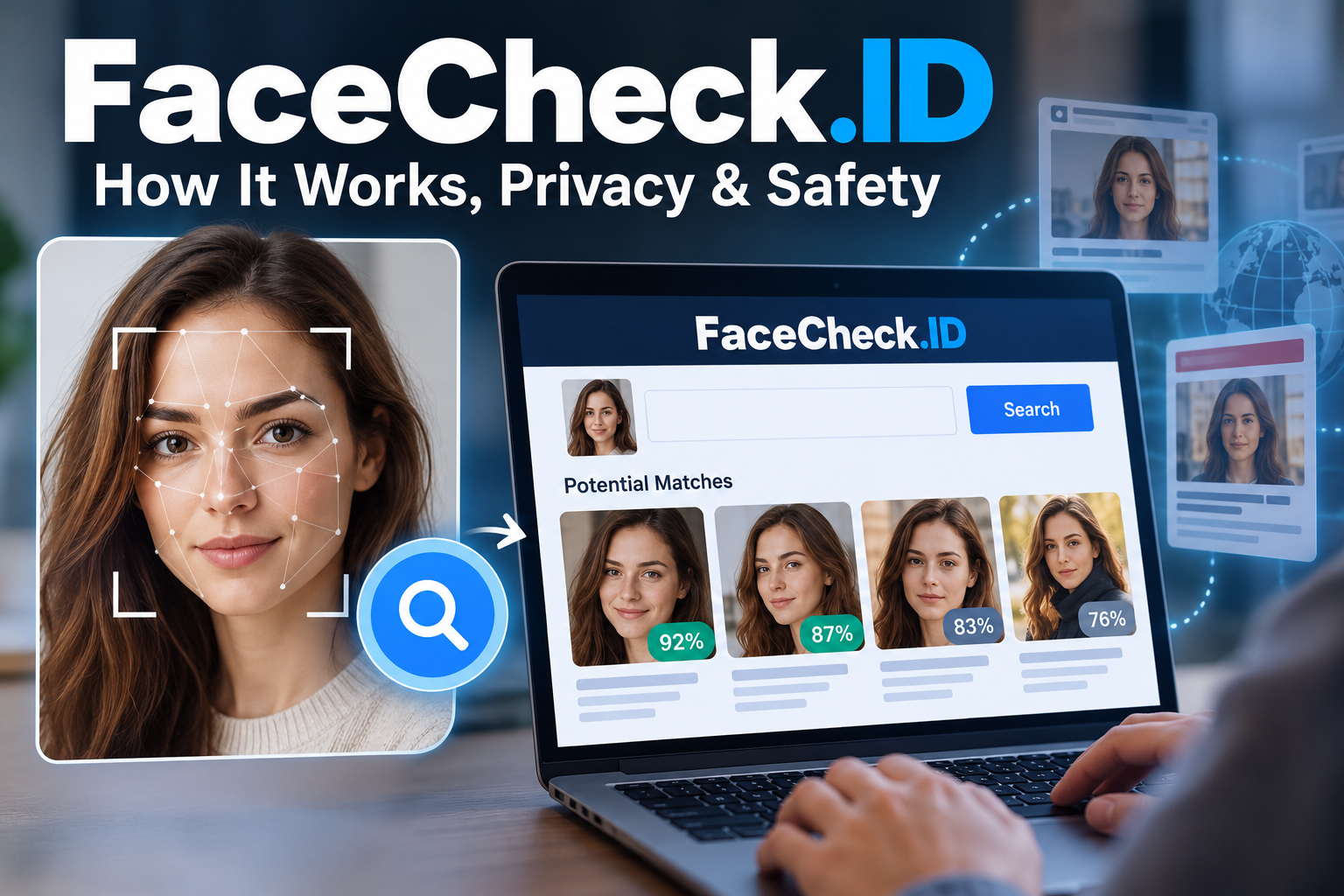
FaceCheck.ID is an online facial recognition search engine that helps users find web pages containing images of people who may resemble someone in a submitted photograph. Unlike traditional search engines, which primarily search for words, it uses facial recognition technology to identify potential visual matches across available online images.
People may be interested in FaceCheck.ID for different reasons. Someone might want to investigate a suspicious online profile, check whether their photograph appears on unfamiliar websites, or explore where an image has been published. However, facial recognition search is not the same as verifying a person’s identity, and the distinction matters.
A search result can suggest that two photographs show the same person without proving it. Lighting, camera angles, image quality, and similar facial features can all affect the results. Privacy is another important consideration because uploading a photograph of yourself or someone else involves biometric information.
What Is FaceCheck.ID?
FaceCheck.ID is a web-based facial recognition search service designed to find potential matches for a face in publicly accessible online images. Users submit a photograph, and the service searches for visually similar faces in its available image index.
The results may include links to web pages where matching or similar photographs appear. Depending on the available information, these links can help users investigate the online presence of an image.
The service differs from a conventional reverse image search. A standard reverse image search may look for the same photograph, visually similar images, or related pictures. Facial recognition search instead focuses on facial characteristics, which can help identify potential matches even when the photographs are different.
For example, imagine receiving a message from an unfamiliar social media account that uses a profile picture of a person claiming to be a local business owner. A facial recognition search might return pages containing similar facial images. Those results could provide useful leads for further investigation.
However, a match does not establish that the account owner is the person pictured. The photograph could belong to someone whose identity has been copied, and a search result could also be incorrect.
The key takeaway: FaceCheck.ID can help locate possible online appearances of a face, but its results should be treated as investigative leads rather than verified identities.
How Does FaceCheck.ID Work?
FaceCheck.ID relies on facial recognition technology, a field of computer vision that analyzes visual information to distinguish and compare faces.
The exact implementation, model architecture, training data, and internal ranking methods used by the service should not be assumed without current technical documentation from the provider. Nevertheless, the general process behind facial recognition search can be explained.
1. A User Uploads a Photograph
The process begins when a user provides an image containing a visible face. Image quality can influence how well a recognition system processes the photograph.
Clear, well-lit images with a reasonably unobstructed face are generally more useful than blurry photographs, heavily edited pictures, or images in which the face is partly hidden.
Users should avoid assuming that a photograph will produce reliable results simply because it looks clear to the human eye.
2. The System Analyzes Facial Features
Facial recognition systems commonly use machine learning models to convert facial images into numerical representations called face embeddings.
These representations capture patterns that help a model compare one face with another. They may reflect aspects of facial structure and other visual characteristics learned during model training.
The system can then compare a submitted face representation with representations associated with images in its searchable collection.
This is different from simply comparing every pixel. Two photographs of the same person can look quite different because of changes in lighting, expression, hairstyle, or camera position.
3. Potential Matches Are Retrieved
The search system looks for images that meet its similarity criteria and ranks possible matches.
A result indicates that the system considers an image sufficiently similar to warrant showing it. It does not automatically mean that the images depict the same individual.
The quality of a result depends on several factors, including the recognition model, the available images, image quality, and the system’s matching threshold.
4. Users Examine the Results
Users can investigate the returned results and visit available source pages to understand the context of an image.
This step is essential. A photograph appearing on a website does not establish who uploaded it, whether the caption is accurate, or whether the pictured person has any connection to the surrounding content.
A responsible investigation considers the original page, publication date when available, surrounding text, and other independent evidence.
Key Features of FaceCheck.ID
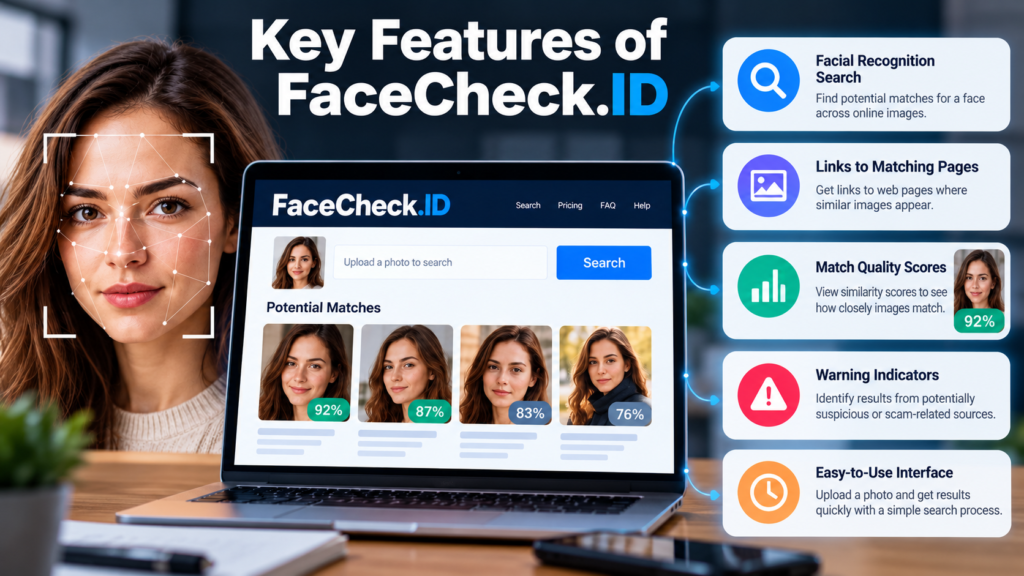
FaceCheck.ID offers several functions designed to help users investigate where a face may appear online. The exact results and available options can change as the service updates its index and features.
Facial Recognition Search
The main function is searching for potential matches based on a submitted face photograph.
This can be useful when the same person appears in multiple photographs taken at different times or in different locations. For instance, a person might use one photograph on a dating profile and another on a public website.
However, the search engine cannot establish whether the person controlling either account is the individual shown in the photograph.
Links to Potentially Matching Pages
The service can display links to web pages associated with potential image matches. These links allow users to examine the original context rather than relying entirely on the search result.
This distinction is particularly important when investigating suspicious accounts. An image appearing on a scam-reporting website may indicate that the photograph has previously been discussed, but it does not establish that the person pictured committed fraud.
Match Quality Scores
FaceCheck.ID provides match quality scores to communicate how closely images match according to its system. Its official FAQ describes a scale from 0 to 100 and groups results into different confidence categories.
These scores are useful for prioritizing results, but they should not be interpreted as scientifically established probabilities that two photographs show the same person.
For example, a score of 90 does not necessarily mean there is a 90% probability that the identity is correct. It represents the service’s assessment of image similarity, not independently verified identity certainty.
Warning Indicators
The service’s official documentation also describes warning indicators associated with certain types of matching results, including images connected to scam reports and other potentially concerning sources.
Such indicators can help direct attention toward results that deserve closer examination. Nevertheless, a warning is not proof of wrongdoing. The underlying page must be reviewed, and any allegations should be assessed independently.
For current information about these functions, consult the official FaceCheck.ID FAQ.
What Can You Use FaceCheck.ID For?
Facial recognition search has several potential applications, but its usefulness depends on the purpose, the available evidence, and the consequences of making a mistake.
Investigating Suspicious Online Profiles
One possible use is checking whether a photograph from an unfamiliar profile appears elsewhere on the internet.
Consider a hypothetical situation in which someone receives a message from a person claiming to be a professional living in another country. The profile uses a polished portrait, but the account has little history.
A face search might reveal the same portrait on an unrelated website or under a different name. This could be a reason to investigate further.
However, the result may also show that an innocent person’s photograph has been copied by a scammer. The person in the picture should not automatically be blamed for the account’s behavior.
Other checks should include reviewing the account’s history, examining inconsistencies in its claims, and avoiding requests for money or sensitive information from unverified contacts.
Checking for Unauthorized Use of Personal Photographs
Photographers, creators, and individuals may want to investigate whether their images appear on unfamiliar websites.
A facial recognition search may reveal some pages containing photographs of the person. This can provide leads when investigating impersonation or unauthorized image use.
However, the search is not guaranteed to find every copy. Private accounts, inaccessible pages, unindexed content, and images absent from the service’s database may not appear.
Finding a match also does not automatically establish a copyright violation. The relevant questions include who owns the photograph, what permissions were granted, and how the image is being used.
Supporting Online Research
Researchers and journalists sometimes investigate publicly available material to understand how photographs circulate online.
FaceCheck.ID can potentially help locate additional pages containing a face, providing starting points for further research.
The results should be checked against independent sources. A responsible investigation considers publication dates, source credibility, surrounding information, and alternative explanations for a match.
Facial resemblance alone is not sufficient evidence to establish that someone attended an event, participated in an activity, or appeared in a particular location.
Investigating Image Reuse
Another possible application is identifying photographs that appear across multiple websites.
This can help users discover that a portrait is being reused in different contexts. For example, a photograph might appear on a personal website and an unrelated public profile.
However, repeated appearances do not necessarily indicate separate accounts operated by the same individual. Images may be copied, syndicated, reposted, or used without the subject’s permission.
The practical value lies in discovering possible connections that can then be investigated, not in automatically proving who controls each page.
Is FaceCheck.ID Free?
FaceCheck.ID uses a credit-based payment system for its search service. The cost and available packages should be checked directly before purchasing because prices and payment requirements can change.
At the time of research, the service’s official purchase page listed the following packages:
| Package | Listed price | Credits |
|---|---|---|
| Rookie Sleuth | $19 | 150 |
| Private Eye | $47 | 400 |
| Deep Investigator | $197 | 2,000 |
| The Professional | $597 | 10,000 |
The official pricing page states that one search costs three credits. This means the listed packages provide approximately 50, 133, 666, and 3,333 searches, respectively, if each search consumes exactly three credits and all credits are used for searches.
The packages also have different expiration periods and may include additional features. The entry-level package, for example, has a shorter credit validity period than the larger packages.
These are listed prices, not a guarantee that the same offers will remain available. Review the current terms before paying.
You can check the official FaceCheck.ID pricing page for current package details.
What Should You Check Before Paying?
Before purchasing credits, consider the following:
- Search purpose: Decide what you need to investigate before paying for multiple searches.
- Expected coverage: Understand that the service searches its available index, not every image on the internet.
- Payment method: Check which payment options are currently supported.
- Credit expiration: Confirm when unused credits expire.
- Refund policy: Review the provider’s current terms before completing a transaction.
- Privacy: Read the current privacy policy to understand how uploaded images and search records are handled.
Do not purchase a large package simply because the service promises access to more searches. A larger credit balance does not guarantee better matches or more conclusive evidence.
Is FaceCheck.ID Safe to Use?
The answer depends on what you mean by safe. The service can be used as an investigative tool, but users should consider the privacy implications of uploading facial photographs and the risks of misinterpreting results.
There are three main issues to understand.
Privacy of Uploaded Photographs
A facial photograph can reveal sensitive information about a person, particularly when combined with other identifying details.
FaceCheck.ID’s official FAQ states that uploaded search images are not added to its index and describes a process in which search records are deleted within 24 hours. It also describes the service’s approach to retaining image thumbnails and source links.
These are statements made by the provider. They should not be treated as an independent security audit or a guarantee that every possible privacy risk has been eliminated.
Before uploading an image, review the current FaceCheck.ID privacy information and consider whether the search is necessary.
Avoid uploading photographs containing unnecessary personal details, private documents, or other people who are not relevant to the search.
False Matches and Misidentification
A facial recognition system may return images of different people who resemble the person in the submitted photograph.
This can happen because of similar facial features, limited image quality, changes in appearance, or other factors affecting recognition.
A false match can have serious consequences if someone uses it to accuse another person of fraud, criminal activity, or dishonest behavior.
Never publish an accusation based solely on a face-search result. Confirm the relevant facts through independent evidence before drawing conclusions.
Misuse of Facial Recognition
Facial recognition can be misused for stalking, harassment, unwanted identification, and attempts to expose someone’s private information.
The fact that a photograph is publicly accessible does not automatically mean that every use of it is ethical or lawful.
Use the service only for legitimate purposes. Do not use it to threaten people, expose private information, target vulnerable individuals, or build accusations from uncertain matches.
The safest approach is to minimize the information you upload, question the results, and avoid taking consequential action without reliable corroborating evidence.
Limitations of FaceCheck.ID
Understanding the service’s limitations is just as important as understanding its features.
It Cannot Guarantee Identity
A similarity score is not proof of identity. Even a strong match can be misleading if the image is reused, incorrectly captioned, or associated with the wrong person.
Identity verification requires additional evidence appropriate to the situation.
It Cannot Search Every Website
FaceCheck.ID searches the images available in its index. It cannot guarantee access to every website, social media account, or online photograph.
Some pages may be inaccessible, removed, blocked from indexing, or absent from the service’s collection.
A search that returns no results therefore does not prove that a photograph has never appeared online.
Results May Change Over Time
Search results can change as websites publish or remove images, the service updates its index, and its recognition technology changes.
A photograph that produces no matches today might produce results later. Conversely, a previously accessible source might disappear.
For investigations that require reliable documentation, record the relevant source pages and dates, while respecting applicable privacy and legal requirements.
It Does Not Automatically Explain the Context
Finding a face on a website does not explain why the image appears there.
The person could be the subject of an article, an innocent victim of impersonation, a public figure, or someone whose image has been copied without permission.
The surrounding page and other available evidence must be examined before making any judgment.
It Is Not a Substitute for Official Verification
FaceCheck.ID should not be used as the sole basis for decisions about someone’s identity, trustworthiness, criminal history, employment eligibility, or other consequential matters.
The service itself warns against using its results for certain screening decisions.
When reliable identity verification is necessary, use an appropriate official process or a properly authorized verification service.
FaceCheck.ID vs. Traditional Reverse Image Search
FaceCheck.ID and traditional reverse image search tools address related but different problems.
| Feature | FaceCheck.ID | Traditional reverse image search |
|---|---|---|
| Primary purpose | Find potential matches for a face | Find identical, similar, or related images |
| Different photographs of the same person | Designed to search for facial similarities across images | May find matches, depending on the tool and available images |
| Identifying the person with certainty | Cannot guarantee identity | Cannot guarantee identity |
| Finding image source pages | Provides links to potential matches | May provide visually similar images and source pages |
| Main limitation | False matches and incomplete image coverage | Incomplete coverage and difficulty finding substantially changed images |
| Best use | Investigating possible appearances of a face online | Finding image sources, copies, and visually related content |
Neither method provides a complete view of the internet.
When Should You Use a Reverse Image Search Instead?
A traditional reverse image search may be the better starting point if you want to find the original source of a photograph, locate copies of an image, or investigate whether a product photograph has been reused.
For example, if you suspect that an online seller has copied a product image from another website, matching the image itself may be more useful than analyzing the face of the person pictured.
If your goal is to find other photographs of a person, facial recognition search may provide a different type of lead.
Using both approaches can sometimes help, but independent verification remains necessary.
How to Use FaceCheck.ID Responsibly
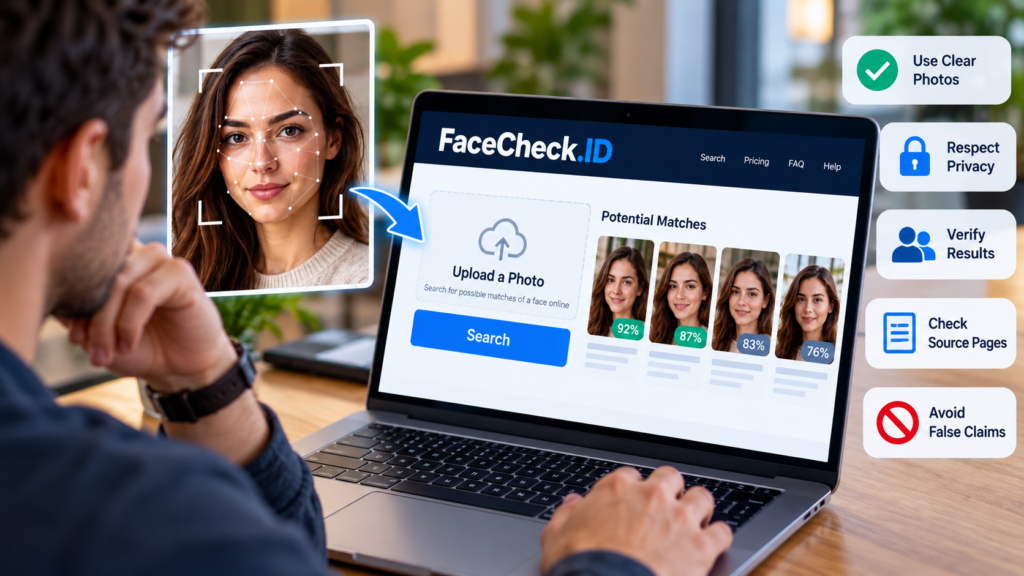
If you decide to use FaceCheck.ID, follow a careful process rather than treating the first result as an answer.
Step 1: Define your purpose. Decide what you are trying to establish. Investigating the reuse of your own photograph is different from attempting to identify an unfamiliar person.
Step 2: Choose an appropriate image. Use a clear photograph that you have the right to upload. Avoid unnecessary background details and images containing unrelated people.
Step 3: Review the service’s current terms. Check its privacy policy, image-retention practices, pricing, and restrictions before starting a search.
Step 4: Examine the results critically. Compare the photographs and note differences in facial features, appearance, and image quality. Do not interpret a score as a verified probability of identity.
Step 5: Open the original source pages. Read the surrounding information and check whether the page provides credible context for the image.
Step 6: Seek independent confirmation. Where appropriate, compare dates, public statements, account history, and other independently available evidence.
Step 7: Protect the people involved. Do not share uncertain matches publicly or use them to make accusations. If you discover impersonation, report the relevant account or content through the appropriate platform.
This process makes the search more useful while reducing the risk of harming someone through a mistaken identification.
FaceCheck.ID Alternatives
Several types of tools can help with image investigations. The best choice depends on whether you need to find a particular photograph, search for facial similarities, or verify a claim.
Google Lens
Google Lens can help users search using images and discover visually similar content or related web pages.
It is useful for finding image sources, identifying objects, and investigating where a photograph or similar visual may appear. Its results should not be treated as definitive facial identification.
Official website: Google Lens.
TinEye
TinEye specializes in reverse image search, helping users locate matching images and investigate where photographs appear online.
It can be useful when the objective is to find copies or modified versions of a particular image rather than to search for a person’s face across different photographs.
Official website: TinEye.
PimEyes
PimEyes is another service focused on searching for facial similarities across online images.
Its general purpose is similar to FaceCheck.ID, although the available results, search coverage, policies, and pricing may differ. Check its current documentation before using it.
Official website: PimEyes.
Which Alternative Is Best?
There is no universally best option.
- Choose FaceCheck.ID when you want to investigate potential appearances of a face in its indexed sources.
- Choose Google Lens when you want a broader visual search for images, objects, and related pages.
- Choose TinEye when finding copies or versions of a particular photograph is the main objective.
- Consider PimEyes if you want to compare another facial recognition search service.
If the information is sensitive, compare privacy policies and data-handling practices before uploading the same photograph to multiple platforms.
Legal and Ethical Considerations
Facial recognition search raises legal and ethical questions because it can connect a person’s image with information published in different contexts.
Whether a particular use is lawful depends on the applicable jurisdiction, the purpose of the search, the type of information processed, and the rights of the people involved.
For example, privacy and data-protection laws in some jurisdictions impose specific requirements on biometric information. Other rules may apply to harassment, defamation, copyright, or the processing of personal data.
A photograph being publicly accessible does not automatically make every form of facial recognition processing lawful.
Users should also distinguish between finding a photograph and establishing a person’s conduct. A face appearing on a website associated with a crime does not establish that the person pictured committed that crime.
For businesses and researchers, a documented process should include a legitimate purpose, appropriate safeguards, human review, and compliance with applicable legal requirements.
For individuals, the practical rule is straightforward: use facial recognition search cautiously, respect other people’s privacy, and do not make serious allegations based on image similarity alone.
Frequently Asked Questions About FaceCheck.ID
1. What is FaceCheck.ID used for?
FaceCheck.ID searches for web pages containing photographs that may match a face submitted by the user. It can help investigate possible image reuse, impersonation, and online appearances of a photograph.
2. Is FaceCheck.ID free?
The service uses a credit-based payment system. Check its official pricing page for current packages, credit requirements, and payment terms.
3. Can FaceCheck.ID identify someone by name?
It does not guarantee a person’s identity or automatically establish their real name. It provides potential image matches and links to source pages that users must investigate independently.
4. Is FaceCheck.ID accurate?
Accuracy varies with image quality, facial similarities, available source material, and the recognition system. A high match score is not proof that two photographs show the same person.
5. Does FaceCheck.ID search social media?
It may return matching images associated with publicly accessible web pages, depending on its index and available sources. It cannot guarantee access to every social media platform, profile, or photograph.
6. Does FaceCheck.ID store uploaded photos?
The provider’s FAQ describes its image-handling and temporary search-retention practices. Review the current privacy policy for details, and remember that provider statements are not the same as an independent security audit.
7. Can I remove my photographs from FaceCheck.ID?
The service provides information about requesting removal of images from its search index. Check its official removal instructions for the current process. Removing an image from its index does not necessarily remove the original photograph from the website hosting it.
Conclusion
FaceCheck.ID offers a specialized way to investigate where a face may appear across publicly accessible online images. Its facial recognition search can help users find potential image matches, investigate suspicious profiles, and discover possible instances of photograph reuse.
However, the technology has important limitations. A similarity score does not establish identity, a missing result does not prove that a photograph is absent from the internet, and a matching image does not establish that the person pictured controls the account or is responsible for its content.
The most responsible approach is to use FaceCheck.ID as a starting point, examine the original source pages, and seek independent evidence before reaching conclusions. Privacy deserves equal attention: review the service’s current policies and avoid uploading images without a legitimate reason.
Ultimately, facial recognition search is most useful when it helps answer a specific question without replacing careful judgment. Treat matches as leads, protect the people involved, and never confuse visual similarity with verified identity.



1 comment on “FaceCheck.ID: How It Works, Features, Privacy, and Safety”